Written by Trivender Singh
Co-Founder at TechniqCo | Specialist in Generative Engine Optimization (GEO), Answer Engine Optimization (AEO), and Technical SEO.
Published: October 29, 2026 | Last Updated: October 29, 2026 | Technical SEO and GEO Guide
Direct Answer: What Is Bing Webmaster Tools AI Performance?
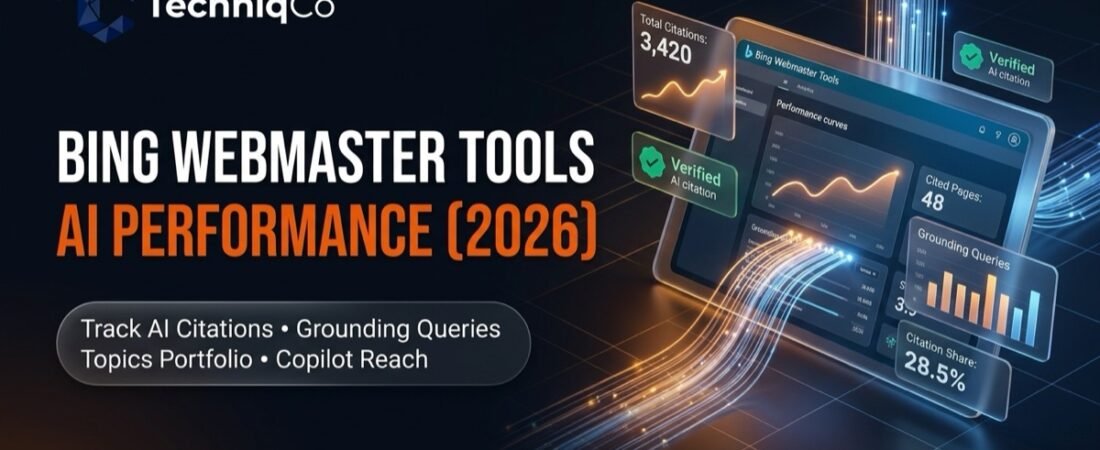
Bing Webmaster Tools AI Performance is Microsoft’s dedicated first-party reporting interface that tracks how web content is referenced within generative AI search experiences. It provides publishers with verified data on how often their URLs serve as grounding sources across Microsoft Copilot, Bing AI-generated summaries, and select partner integrations. Key reporting dimensions include total citations, average cited pages (daily unique URLs cited), machine grounding queries, topic-level demand, and query-level citation share.
Primary source documentation: Introducing AI Performance in Bing Webmaster Tools and the official Bing Webmaster Tools Documentation.
Search discovery is undergoing a structural shift. Where search marketing previously revolved around ranking blue links on a traditional results page, modern search engines now synthesize multi-source answers using generative language models. In response to this evolution, Microsoft introduced the Bing Webmaster Tools AI Performance report, providing site owners with first-party visibility into how their indexed pages are cited in AI-generated answers.
However, managing visibility in generative search environments requires a fundamental shift in analytical mindset. An AI citation is not identical to a traditional organic ranking, nor does it guarantee an outbound click, an analytics session, or a sales conversion. A citation indicates that an AI system retrieved and processed your content to ground its response to a user query. To build an effective Generative Engine Optimization (GEO) strategy, marketers must understand what this report measures, how to interpret its underlying mechanics, and how to evaluate citation data alongside verified business metrics.
This technical guide covers how to access and navigate Bing Webmaster Tools AI Performance, analyze machine grounding queries, calculate relative citation trends, contrast first-party reporting with third-party tracking tools, and connect AI discovery metrics directly to Google Analytics 4 (GA4) conversion pipelines.
What Is Bing Webmaster Tools AI Performance?
Bing Webmaster Tools AI Performance is an analytics interface developed by Microsoft to give publishers transparency into how generative artificial intelligence models interact with their indexed web pages. While traditional search reports log impressions when a URL appears in a list of organic results, the AI Performance dashboard logs when an algorithm references a web page as a source cited in an AI-generated answer. Microsoft explicitly notes that citations reflect content retrieval and answer grounding rather than site ranking, authority, or positioning within an answer.
According to official Microsoft announcements, the report monitors content referenced across supported Microsoft AI experiences and partner integrations:
- Microsoft Copilot: Inbound conversational queries across web browsers, Windows desktop integrations, and dedicated Copilot mobile apps.
- Bing AI-Generated Summaries: Generative search answers, snapshot overviews, and synthesized panels appearing directly on Bing Search Results Pages (SERPs).
- Select Partner Integrations: Third-party discovery platforms and enterprise services that utilize Microsoft’s search grounding API to retrieve verified factual data from the web index.
For SEO professionals and technical auditors, first-party citation data provides valuable empirical evidence. Previously, tracking brand visibility in AI answers required relying on manual prompt sampling or third-party scraping software that simulates user queries. While those methods provide useful comparative estimates across platforms, they cannot access proprietary backend logs. Bing Webmaster Tools provides direct data on how Microsoft’s search algorithms index and utilize content for Retrieval-Augmented Generation (RAG).
Feature Rollout Status and Ecosystem Activity: Microsoft introduced the initial AI Performance report in Public Preview (featuring Total Citations, Average Cited Pages, and Grounding Queries), as detailed in the official announcement on Introducing AI Performance in Bing Webmaster Tools. This was followed by expanded preview features including Intents classification, Topics grouping, Citation Share, and Compare overlays, outlined in New AI Visibility Insights: Intents, Topics, Citation Share, Compare. Advanced portfolio analytics rolled out in beta cohorts, announced in Introducing Topics Portfolio (Beta). In its Topics Portfolio documentation, Microsoft explicitly notes that advanced portfolio views may not appear if a domain has insufficient presence or citation activity in the Bing ecosystem for that topic cluster.
When evaluating this data, SEO teams should keep five operational boundaries in mind:
- Ecosystem Scope: The report covers supported Microsoft AI experiences (such as Copilot and Bing AI summaries) and select partner integrations. It does not provide tracking across Google AI Overviews, Google AI Mode, standalone ChatGPT search, or Perplexity.
- Citations Versus Outbound Clicks: The dashboard measures citations and grounding visibility, not click-through rates. Many AI-generated answers provide zero-click satisfaction where the user reads the summary without clicking through to the source link.
- Machine Queries Versus User Prompts: Grounding queries reflect the internal queries generated by the AI model during query fan-out, not the exact conversational prompt typed by the human searcher.
- Retrieval Grounding Versus Brand Authority: A citation confirms that a page was retrieved to support a factual statement in an AI answer. It does not constitute an algorithmic endorsement or definitive proof of brand superiority.
- Ecosystem Activity Thresholds: Advanced portfolio views (such as Topics Portfolio Beta) require sufficient site presence and citation activity in Bing AI experiences before thematic clusters and opportunity queries are displayed.
To understand how this fits into a broader multi-platform measurement architecture, review TechniqCo’s foundational guide on how to measure AI search visibility across Google, ChatGPT, and Perplexity.
How to Access Bing Webmaster Tools AI Performance
Accessing your first-party citation data requires a verified Bing Webmaster Tools account. Follow these practical steps to locate and configure the report:
Navigate to Bing Webmaster Tools (bing.com/webmasters). If you have not verified your site, you can authenticate ownership by importing your verified properties directly from Google Search Console, or by adding a DNS TXT record or HTML meta tag.
Use the top-left dropdown menu to select the specific domain or URL-prefix property you want to inspect. Ensure you select the canonical protocol (HTTPS) and appropriate host version.
In the left-hand navigation menu, look under the Performance section. Click on the AI Performance sub-tab (or AI Visibility depending on interface rollout version).
Set the date range filter in the top navigation bar. Select standard presets such as 7 days, 28 days, or 3 months, or define a custom date window to evaluate changes following a major content update.
Explore available reporting sub-tabs in your account, including Pages (cited URLs) and Grounding Queries (machine retrieval terms), as well as Topics and Intents where supported by ecosystem activity.
Use the available export option, where supported, to download your citation and grounding query data. Consolidate these exports periodically into an internal reporting repository to monitor multi-quarter trends.
What Metrics Does the AI Performance Report Track?
Understanding each reporting dimension is essential for drawing accurate strategic conclusions. Below is an overview of the core metrics and preview features documented across Bing Webmaster Tools AI Performance:
| Metric Name | What It Measures | How to Interpret It | Recommended Action | Important Limitation |
|---|---|---|---|---|
| Total Citations | The aggregate count of times your URLs were used as reference sources in AI answers | Indicates overall content utilization and baseline visibility in Microsoft Copilot and Bing AI | Track monthly trendlines to evaluate whether structural and content updates improve RAG extraction | Does not reflect click-throughs or website visits; one answer can cite multiple URLs |
| Average Cited Pages | Average number of unique URLs from your site cited per day during the selected reporting period | Measures the daily breadth of content cited across your site; shows how consistently different URLs are retrieved over time | Identify high-performing informational hubs and replicate their structural format across weaker hubs | A site with a high daily average of cited pages may still receive varied citation volume per individual URL |
| Grounding Queries | The machine queries formulated by AI models to search the index and ground responses | Reveals the semantic concepts and query fan-out phrases language models use to find your facts | Optimize headings and paragraph intros to directly answer these machine search formulations | These are synthetic retrieval queries, not verbatim human prompt transcripts |
| Citation Share (Preview) | Percentage of all citations shown across sites for a specific grounding query that are attributed to your site | Observational metric indicating your site’s citation proportion relative to all sites cited for that specific grounding query; not an algorithmic ranking score | Benchmark against your historical query performance and identify high-value search queries where competing sites receive the majority of citations | Calculated for specific sampled grounding queries in Microsoft’s ecosystem; does not represent a category-wide market share or cross-engine score |
| Intents Classification (Preview) | Categorization of grounding queries into functional intents (e.g., Informational, Commercial, Local) | Clarifies whether AI models retrieve your content for informational reference or commercial context | Align landing page calls to action based on whether the primary intent is research or buying | Algorithmic classification; edge queries may be miscategorized |
| Topics Portfolio (Beta) | Aggregated thematic clusters showing topic size, competing sites cited, and opportunity gaps | Highlights market-wide citation demand and identifies specific queries where competitors are cited | Use the opportunity query list to test relevant, informative content targeting identified thematic gaps | Requires sufficient domain presence and citation activity in the Bing ecosystem to display thematic data |
| Compare (Time Overlay) | Comparative timeline view overlaying previous reporting windows | Differentiates sustained strategic visibility growth from temporary model volatility | Evaluate 28-day rolling averages before and after technical site deployments | Requires sufficient historical data; comparisons can be affected by platform-level model updates |
How to Track AI Citations Step by Step
Treating AI citation tracking as an ad-hoc task results in fragmented data and unclear priorities. To turn the AI Performance dashboard into a structured diagnostic process, implement this eight-step workflow:
Step 1: Establish Your 28-Day Baseline
Before making technical or content modifications, review the preceding 28 days of data. Record your Total Citations, Average Cited Pages (the daily average of unique URLs cited), and top cited URLs. This initial benchmark serves as the reference point for evaluating subsequent content optimizations.
Step 2: Identify High-Performing Cited Pages
Navigate to the Pages tab and sort by citations descending. Note which content formats earn citations most frequently. Observe whether language models retrieve technical guides, comparison tables, FAQ summaries, or case studies, and document the common structural characteristics.
Step 3: Review Associated Grounding Queries
Click on a top-performing URL to inspect grounding queries linked to that page. Examine the phrasing the AI system uses to retrieve your content. Grounding queries frequently display specific entity relationships, technical definitions, and focused factual questions.
Step 4: Group Pages and Queries by Topic and Search Intent
Where supported, use the Intents and Topics filters to cluster queries. Separate high-volume informational definitions from high-intent commercial evaluation terms. For query formulation and prompt frameworks, reference TechniqCo’s guide to advanced ChatGPT prompts for SEO and GEO.
Step 5: Compare Citation Activity Across Reporting Periods
Use the Compare feature to overlay the current 28-day window against the prior period. Evaluate whether total citations changed across the whole site or if shifts were concentrated on specific newly published or updated URLs.
Step 6: Investigate Significant Citation Declines
When a key URL experiences a drop in citations, check whether competing sources have published updated research, whether schema markup errors arose, or whether Microsoft adjusted its indexation parameters. Do not assume an algorithmic penalty without verifying indexation and technical health.
Step 7: Record Technical and Content Optimizations
Log every content enhancement in an internal tracking sheet. Note the date of modification, headings updated, structured tables added, JSON-LD schema deployed, and whether an IndexNow ping was submitted.
Step 8: Monitor Trends Over a Suggested Observation Interval
RAG indexation and retrieval behavior do not necessarily reflect immediate changes upon page re-crawling. A 14 to 30 day window serves as a suggested review interval for teams, not a documented Bing processing time or a guarantee of when citation changes will appear. Retrieval patterns depend on search index refresh schedules, model cache cycles, and ongoing algorithmic updates.
Hypothetical Tracking Log Example
Illustrative example only. The figures and test results below are hypothetical and do not represent verified TechniqCo performance.
| Target URL | Primary Grounding Query | Intent | Month 1 Citations | Month 2 Citations | Citation Share | Optimization Action Taken |
|---|---|---|---|---|---|---|
| /measure-ai-search-visibility/ | how to track generative engine optimization metrics | Informational | 140 | 310 | 28.5% | Added direct answer summary and structured formula definitions |
| /optimize-ai-generated-videos-seo/ | video schema markup requirements for AI video | Research | 85 | 195 | 22.1% | Integrated complete JSON-LD VideoObject code templates |
| /how-to-choose-digital-marketing-agency-delhi-ncr/ | top b2b marketing agencies delhi ncr evaluation checklist | Commercial | 45 | 115 | 18.4% | Published 12-point evaluation matrix with clear data tables |
| /search-engine-optimization/ | technical generative engine optimization agency | Commercial | 20 | 65 | 14.2% | Expanded service definitions with specific GEO deliverables |
How to Interpret AI Citation Data
Interpreting first-party citation data requires careful analytical discipline. Misreading metrics can lead marketing teams to pursue vanity citations that fail to produce tangible business value. Keep these five analytical principles in mind:
- Citations Do Not Equate to Referral Sessions: In traditional search, high impressions with zero clicks indicates poor snippet CTR. In AI search, an article cited in a comprehensive Copilot summary may satisfy the user entirely within the conversational surface. While this can build brand awareness and mindshare, it will not register as an analytics session in GA4 unless the user actively clicks the citation link.
- URL Citation Volume Does Not Guarantee Commercial Intent: Earning citations on an elementary glossary definition (such as “what is a meta tag”) has far lower commercial value than earning fewer citations on a high-intent B2B evaluation query (such as “enterprise digital marketing agency evaluation criteria”). Always segment citations by the underlying search intent.
- Grounding Queries Are Synthetic System Queries: When reviewing grounding queries, remember that users rarely type exact technical strings. Language models decompose conversational user prompts into targeted sub-queries (“query fan-out”) to retrieve relevant facts from the index. Grounding queries expose the machine’s internal retrieval logic, not human conversational patterns.
- Citation Share Is Query-Specific, Not an Overall Ranking Score: Citation Share indicates the percentage of all citations shown across sites for a specific grounding query that are attributed to your site. It is an observational metric tied to sampled machine queries in Microsoft’s ecosystem, not an algorithmic ranking score or market-wide visibility index.
- Citations Are Retrieval Grounding, Not Authority Endorsements: Earning citations indicates that an AI system selected your content as a factual grounding source for a specific query context. It does not prove that an algorithm has recognized your brand as a definitive market authority. Treat citation data as an indicator of content indexation and factual extractability.
How to Improve AI Search Visibility
Improving visibility in Bing AI and Microsoft Copilot involves optimizing for machine information extraction. While traditional SEO focuses on keyword placement and external backlinks, Generative Engine Optimization emphasizes factual clarity, structural predictability, and verifiable content. Marketers should approach optimization using structured testing hypotheses:
1. Test Rapid Indexing via IndexNow and XML Sitemaps
Generative engines benefit from timely content discovery when answering queries about recent developments. Microsoft Bing strongly supports the IndexNow protocol, allowing websites to notify search engines when content is published or updated. Test whether integrating IndexNow alongside clean XML sitemaps reduces crawl lag and accelerates RAG inclusion for new factual assets.
2. Test Direct Answer Formatting Hypotheses
A practical testing hypothesis in Generative Engine Optimization is evaluating whether placing a concise, factual summary immediately beneath major H2 and H3 headings improves extraction by RAG algorithms. Rather than treating word count targets as rigid rules, test whether clear, scannable summaries help retrieval systems identify core answers quickly.
3. Evaluate Structured HTML Tables and Definition Lists
In observational testing, structured data presentations such as HTML tables, comparison grids, and definition lists often facilitate clear information extraction compared to dense narrative paragraphs. Test whether presenting comparative specifications, benchmark numbers, or step-by-step processes in semantic tables improves retrieval for multi-entity grounding queries.
4. Publish Original Primary Research and Verified Statistics
AI search engines seek original source material to avoid repeating generic summaries. Publishing proprietary industry benchmark studies, survey results, and original case studies with verified figures provides unique factual data that retrieval systems can cite as primary evidence.
5. Implement Accurate Schema Markup Without Treating It as a Citation Requirement
Deploy structured data types (such as Article or Organization) that accurately describe your content and adhere to applicable search engine guidelines. While schema markup helps search engines understand entity relationships and page content, it is not a required condition or guarantee for earning AI citations. Avoid adding schema types that do not accurately represent the on-page content.
6. Strengthen Topic Coverage and Internal Entity Architecture
Build interconnected content clusters where pillar pages link logically to specialized sub-topics using descriptive, entity-rich anchor text. For multimedia content, combine written transcripts with structured metadata as detailed in TechniqCo’s guide on optimizing video assets for AI search and Google indexing.
7. Audit Robots.txt and Crawler Directives
Audit your robots.txt file to ensure Bingbot and related Microsoft crawlers can access core stylesheets, scripts, and content directories. Confirm that key informational pages do not carry unintended noindex, nosnippet, or data-nosnippet tags that would restrict snippet extraction.
8. Strengthen External Entity Mentions and Digital Footprint
Language models frequently cross-reference multiple web sources to verify claims. Strengthening digital PR, securing mentions on established industry publications, and maintaining consistent business profiles across recognized registries helps models corroborate facts associated with your brand.
9. Address Thematic Content Gaps Identified in Opportunity Queries
Where the Topics Portfolio feature is available, review queries where competing websites are cited but your domain is absent. Use these gaps to test relevant, comprehensive content assets addressing those specific informational requirements.
Bing Webmaster Tools vs Third-Party AI Visibility Tools
Enterprise marketing teams frequently ask whether Bing’s native AI Performance report replaces third-party AI visibility tools such as Semrush, ZipTie.dev, Profound, and Peec AI. In practice, first-party webmaster reporting and third-party monitoring platforms fulfill complementary roles within an analytics stack.
The table below compares the primary data sources, platform scopes, and reporting roles across these solutions. Tool features, supported platforms, and data collection mechanisms reflect publicly documented methodologies at the time of publication and are subject to change over time. Readers should review official product documentation directly from each provider to evaluate specific capabilities.
| Comparison Dimension | Bing Webmaster Tools AI Performance | Semrush | ZipTie.dev | Profound / Peec AI |
|---|---|---|---|---|
| Reporting Source | First-party reporting interface provided by search engine | Third-party search intelligence platform | Specialized third-party AI search monitoring tool | Third-party multi-LLM visibility analytics platforms |
| Platform Coverage Scope | Microsoft Copilot, Bing AI Summaries, select partner integrations | Google AI Overviews and standard organic search results | Google AI Overviews and documented AI search features | Conversational AI models including ChatGPT, Perplexity, Claude, and Gemini |
| Query Data Captured | Actual internal machine grounding queries formulated during answer retrieval | Tracked keywords and search queries selected by the user | Monitored queries and query batches uploaded by the user | Prompt libraries, custom prompt matrices, and simulated conversational tests |
| Citation & Reference Metrics | Total citations, average cited pages per day, and query-level Citation Share | URL inclusion within monitored search features and organic rankings | Cited URLs and source presence within tracked search overviews | Source link mentions, brand citations, and model share-of-voice estimates |
| Primary Analytical Function | Verify how Microsoft AI engines retrieve and ground content using first-party logs | Analyze search market share and organic SERP feature visibility across search | Audit source link citations across monitored search overviews | Benchmark conversational brand visibility and answers across multiple commercial LLMs |
How to Connect AI Visibility With GA4 and Business Outcomes
Because Bing Webmaster Tools tracks citations rather than website visits, relying on BWT data alone cannot prove commercial return on investment. Marketing leaders require an analytics architecture that connects citation visibility to inbound referral sessions, on-site engagement, and qualified sales pipeline.
To understand real business performance, evaluate your metrics across a five-stage attribution chain:
- Stage 1: AI Visibility and Citation Discovery: Track verified AI citations, cited URLs, and machine grounding queries in Bing Webmaster Tools for Microsoft Copilot and Bing AI experiences, while separately analyzing impressions, clicks, and queries reported in Google Search Console’s documented performance reports for Google Search.
- Stage 2: Inbound AI Referral Sessions: Verified website visits captured in Google Analytics 4 under relevant source/medium dimensions or default channel groups.
- Stage 3: On-Site Engagement Metrics: Engagement rate, average session duration, and key page interactions on cited landing pages.
- Stage 4: Lead Generation Key Events: Attributed quote requests, consultation bookings, newsletter signups, or contact submissions initiated by AI referral visitors.
- Stage 5: CRM Pipeline and Revenue: Closed-won deals and revenue attributed to AI discovery channels within your enterprise CRM.
Qualifying GA4 Attribution for Microsoft Copilot and AI Referrals: Marketing teams should recognize that referral traffic from generative AI experiences does not follow a single, universal attribution pattern in GA4. In practice, how traffic appears depends on several technical variables:
- Client Environment: Traffic originating from web-based Copilot (such as
copilot.microsoft.com) may pass a distinct referral header, whereas clicks from Windows OS taskbar integrations, edge sidebar widgets, or mobile apps may strip referrer information or route through intermediary browser handlers. - Referrer Information and Fallbacks: Depending on browser privacy configurations and redirect chains, incoming visits may be attributed to
copilot.microsoft.com / referral,bing.com / referral,bing / organic, or in some instances collapse into(direct) / (none)if the referrer header is dropped entirely. - GA4 Default Channel Grouping: While GA4 includes an
AI Assistantchannel group for recognized AI referrers (see Google’s official documentation on Google Analytics default channel groups), traffic with traditional Bing referrers may still be categorized underOrganic SearchorReferral.
To track this accurately, do not rely on a single source/medium filter. Build a dedicated GA4 Exploration report that combines multiple dimensions: inspect Session source / medium, monitor sessions under the AI Assistant channel group, and evaluate aggregate session trends on landing pages identified as top citation recipients in your BWT AI Performance report.
A 30-Day AI Visibility Measurement Plan
Implementing a structured measurement routine ensures your team captures meaningful trends without getting distracted by short-term model fluctuations. Follow this four-week framework:
Week 1: Verify Setup, Ensure Crawlability, and Capture Baselines
- Verify your property in Bing Webmaster Tools and submit updated XML sitemaps.
- Confirm that Bingbot is not blocked in robots.txt and verify IndexNow API functionality.
- Export 28-day baseline figures for Total Citations, Average Cited Pages (daily unique URLs cited), and top grounding queries.
Week 2: Analyze Cited Pages and Map Grounding Queries
- Identify the top URLs earning citations and document their structural layout.
- Map machine grounding queries to target URLs and classify them by search intent.
- Inspect available opportunity queries to identify relevant topics where competitors appear.
Week 3: Optimize Selected URLs for Direct Machine Ingestion
- Test concise, factual direct answer summaries under major headings on three priority pages.
- Convert dense narrative sections into structured HTML comparison tables and definition lists.
- Deploy accurate JSON-LD schema (such as Article or Organization) that reflects page content and submit updated URLs via IndexNow.
Week 4: Review Longitudinal Data and Prioritize Next Sprints
- Use the Compare feature to review citation changes against the Week 1 baseline.
- Cross-reference referral traffic in GA4 to evaluate whether increased citations corresponded to inbound sessions.
- Document findings in your monthly search report and schedule the next optimization cycle.
Primary Sources and Official Documentation
Review the official product announcements and technical documentation supporting this guide:
- Introducing AI Performance in Bing Webmaster Tools (Microsoft Bing Webmaster Blog) – Official Public Preview announcement detailing first-party citation tracking, total citations, average cited pages per day, and machine grounding queries.
- New AI Visibility Insights in Bing Webmaster Tools: Intents, Topics, Citation Share, Compare (Microsoft Bing Webmaster Blog) – Expansion preview documentation covering search intent breakdowns, thematic topics, query-specific Citation Share, and period comparison overlays.
- Introducing Topics Portfolio (Beta) in AI Performance (Microsoft Bing Webmaster Blog) – Beta release documentation on aggregated topical demand, ecosystem activity thresholds, and opportunity queries where competitors receive citations.
- Google Analytics default channel groups (Google Analytics Help) – Official definitions and channel rules for AI Assistant, Organic Search, and Referral channels.
Frequently Asked Questions
1. What is Bing Webmaster Tools AI Performance?
It is Microsoft’s dedicated first-party reporting tool that tracks how often and in what context your website’s URLs are cited as source references within generative AI search answers across Microsoft Copilot and Bing AI.
2. How do I track AI citations in Bing Webmaster Tools?
Verify your website property in Bing Webmaster Tools, open the left navigation menu under Performance, and select AI Performance. Use the Pages and Grounding Queries tabs to inspect which URLs are cited and the machine terms used to retrieve them.
3. Can Bing Webmaster Tools show which pages AI search engines cite?
Yes. The Pages tab provides a detailed breakdown of unique URLs that have received citations, allowing you to see which guides, blog posts, and service pages are utilized by Microsoft’s generative models.
4. What are grounding queries in Bing AI Performance?
Grounding queries are the internal, synthetic search queries generated by AI models (such as Copilot) to fetch factual source documents from the web index. They reflect machine search behavior during query fan-out rather than verbatim conversational prompts typed by human users.
5. Does AI citation visibility guarantee more website traffic?
No. Many users read AI-generated summaries without clicking through to the cited source. Citations reflect that content was selected for answer grounding, but website owners must verify actual referral traffic and engagement using GA4.
6. Can I track Microsoft Copilot visibility with Bing Webmaster Tools?
Yes. Microsoft Copilot relies on Bing’s search index and grounding infrastructure. Citations generated within Copilot across supported web and Windows integrations are captured within the AI Performance report.
7. Can Bing Webmaster Tools track ChatGPT and Perplexity citations?
No. Bing Webmaster Tools tracks only Microsoft AI experiences and select partner integrations. To monitor visibility across ChatGPT, Perplexity, or Claude, marketers must use structured prompt testing, GA4 referral segmentation, or specialized third-party tools.
8. Is Bing Webmaster Tools AI Performance free?
Yes. Like all core features within Bing Webmaster Tools, the AI Performance report is 100% free for verified domain and site owners.
9. How is Bing AI Performance different from Google Search Console?
Google Search Console provides documented search performance data (impressions, clicks, queries, and positions) across Google Search results, including eligible AI Overviews where documented. Bing Webmaster Tools AI Performance specifically reports first-party citation events, cited URLs, machine grounding queries, and Citation Share within Microsoft Copilot and Bing generative search.
10. Which tools can track AI search visibility across multiple platforms?
To monitor visibility across both Microsoft and non-Microsoft engines, combine first-party reporting (Bing Webmaster Tools and GSC) with third-party multi-LLM platforms such as Profound, Peec AI, ZipTie.dev, and Semrush.
Conclusion and Next Steps
The introduction of Bing Webmaster Tools AI Performance marks a significant step forward in search transparency. For the first time, website owners have access to first-party data illustrating how generative language models navigate, digest, and cite web content during live answer formulation.
By establishing a reliable 28-day baseline, analyzing machine grounding queries, identifying opportunity gaps in your Topics Portfolio, and connecting citation data with Google Analytics 4 conversion events, marketing teams can replace guesswork with empirical Generative Engine Optimization. The brands that master AI visibility measurement today will build defensible organic search presence as conversational search surfaces continue to expand.
Need an Actionable AI Search Visibility Audit for Your Business?
TechniqCo helps enterprise brands and growing businesses analyze their visibility across traditional search, Google AI Overviews, Microsoft Copilot, and third-party conversational engines. Discover how our technical SEO, content re-architecting, and GEO strategies turn AI citations into qualified customer pipelines.
Get an AI Search Visibility Audit →About Trivender Singh
Trivender Singh is the Co-Founder at TechniqCo, specializing in Generative Engine Optimization (GEO), Answer Engine Optimization (AEO), technical SEO, and data-driven digital marketing strategies. He works with businesses to design clear search measurement frameworks and organic growth pipelines. Connect on LinkedIn.
Related posts:
 How to Measure AI Search Visibility in 2026: GEO Metrics, Tools, and Reporting
 How to Find Trending Keywords Before Your Competitors in 2026
 How to Get Your Brand Cited in ChatGPT Search, Perplexity & Google Gemini in 2026: The Complete GEO Blueprint
 The Advanced AI Prompt Playbook: ChatGPT Prompts for SEO, GEO, and AEO in 2026
 Google Trends vs Google Keyword Planner: Which Is Better for SEO in 2026?
 How to Use Google Trends for SEO in 2026