
Written by Trivender Singh
Co-Founder at TechniqCo | GEO & AEO Expert specializing in Generative Engine Optimization, Answer Engine Optimization, AI Search Visibility, Technical SEO & Organic Search Systems.
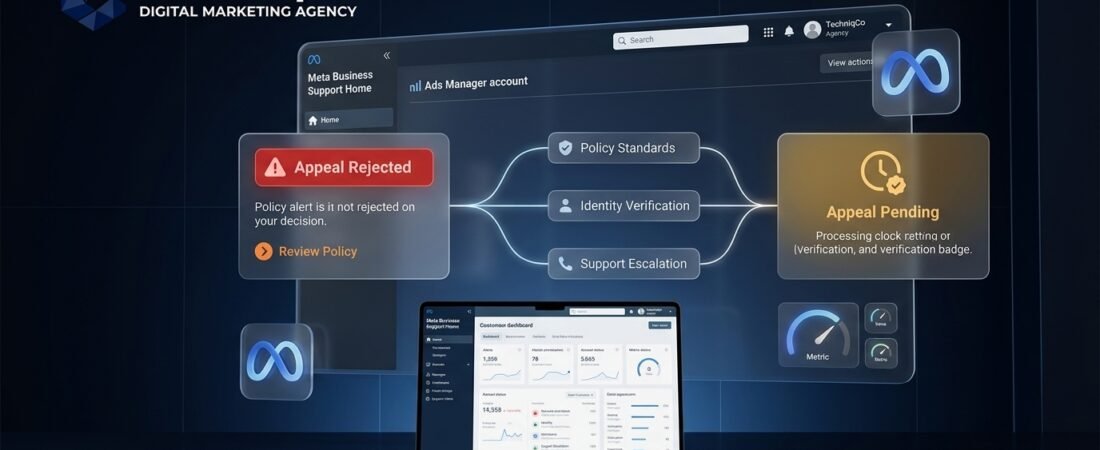
What should you do if your Meta Ads appeal is rejected or remains pending?
If your Meta Ads appeal is rejected or remains pending, your next step depends on the affected asset and the options displayed in your account. First, open Meta Business Support Home to determine whether the notice applies to an individual ad creative, an ad account, a Business Portfolio, or a personal profile. If an individual ad appeal was rejected, avoid resubmitting identical content; instead, adjust the ad copy, creative, or landing page to address the cited policy, or create a new compliant ad. If an account appeal is pending, review your account status for any outstanding verification requests, monitor your Support Inbox, and follow the specific timeframe shown in your interface before contacting support.
An interrupted advertising campaign creates immediate challenges for media buyers and business owners. When an appeal is rejected or remains pending in Ads Manager, campaigns can pause, lead generation can drop, and active marketing schedules are disrupted.
Submitting repeated payment or review attempts without identifying the underlying reason often complicates the issue. Under Meta Advertising Standards, policy compliance is evaluated across ads, landing pages, and business assets. This guide outlines a methodical, policy-compliant approach to determine the status of your appeal, explore available review options, and protect your advertising setup.
What Does a Rejected or Pending Meta Ads Appeal Mean?
To choose the appropriate course of action, distinguish between an ad-level disapproval and an account-level restriction. Meta applies its policies across different parts of its platform, and the available review paths depend on which asset is affected.
| Enforcement Status | What It Means | Recommended Next Step |
|---|---|---|
| Individual Ad Rejected (Appeal Upheld) | The review confirmed that the ad creative, copy, or destination page violates an Advertising Standard. Compliant ads elsewhere in the account can remain active. | Do not resubmit identical content without changes. Review the cited policy, modify the creative or landing page disclosures, or launch a compliant alternative. |
| Ad or Account Appeal Pending | The review request is currently processing in the review queue. | Check Business Support Home for any pending verification prompts, such as identity confirmation, and follow the timeframe shown in your account. |
| Ad Account Restricted / Disabled | Ad delivery is paused across the specific ad account based on policy or security considerations. | Open Business Support Home, review the details of the notice, check whether review options are available, and complete requested verification steps. |
| Business Portfolio / Page Restricted | Enforcement applies at the portfolio or Page level, potentially affecting associated advertising assets. | Check Business Settings and Business Support Home, ensure permissions and business verification details are up to date, and use available review channels. |
| Review Option Unavailable / Final Decision | The interface does not present further self-service appeal options for the selected asset. | Check whether official support contact options are accessible in your account, or review alternative verified assets in accordance with platform policies. |
Meta Ads Appeal Rejected? What to Do Next
If an appeal is rejected and the decision is upheld, follow these practical diagnostic steps:
- Isolate the Affected Asset: Check whether the enforcement notice applies to an individual ad, an entire ad account, a Facebook Page, or a business portfolio.
- Record Pertinent Account Details: Note your Ad ID, Ad Account ID, Business Portfolio ID, and any case reference number provided in the notice or your Support Inbox.
- Review the Stated Policy Violation: Consult the relevant section of the Meta Advertising Standards cited in the notice, such as policies on misleading claims, personal attributes, or restricted products.
- Audit the Landing Page: Destination websites must comply with platform standards. Check for working privacy policy links, clear business information, accurate pricing disclosures, and consistent messaging.
- Check Available Account Options: Look in Business Support Home to see whether an additional review option or appeal form is provided for your account.
- Prepare Legitimate Documentation: Where applicable to the policy cited, assemble official business registration, authorization letters, or documentation that clarifies the business model before submitting a support inquiry.
- Maintain a Record of Submissions: Keep notes on dates, responses, and case IDs for your team’s internal documentation.
Meta Ads Appeal Still Pending? How Long Should You Wait?
When an appeal remains in pending status, review times depend on several factors, including the type of asset under review, submission volumes, and whether additional verifications are needed.
Meta displays estimated timeframes in certain account interfaces, but these are general guides rather than guarantees. Review duration can vary based on:
- Scope of the Review: Individual ad creatives are often processed differently than complex business account restrictions.
- Outstanding Verification Prompts: A review may be paused if Meta is waiting on the user to complete identity confirmation, business verification, or security updates.
- Review Demand: System-wide volume fluctuations can influence how quickly cases are addressed.
Allow the current review to complete before making further changes. Avoid submitting multiple rapid appeal requests or editing the in-review content, as this can complicate review tracking in your account.
How to Check Your Meta Appeal Status
To verify the current status of an appeal, check the official management tools directly rather than relying solely on email updates:
Step-by-Step Status Verification:
- Log in to the profile associated with your advertising assets.
- Navigate to Meta Business Support Home.
- In the left menu, select Account status overview and choose the asset under review (such as your Ad Account, Business Account, Page, or User Account).
- Check the details panel for the cited policy, restriction date, and review status.
- Open your Support Inbox in Business Suite or Facebook Settings to check for any direct correspondence or document requests from Meta.
What If the “Request Review” Button Is Missing?
If the Request Review button is not visible or cannot be selected, the reason depends on the state of your account and the specific decision. Possible causes to investigate include:
- Account Permissions: Review options may require specific administrative access levels on the ad account or Business Portfolio.
- Pending Identity Confirmation: Some account restrictions require the user to complete identity confirmation before any review button becomes active.
- Review Eligibility Status: In certain cases, an enforcement decision is marked as final, or the period during which an appeal can be initiated has elapsed according to platform rules.
- Asset Selection: Verify that you have selected the primary asset experiencing enforcement, as child assets may reflect restrictions originating from a parent portfolio or Page.
For portfolio-level issues, see our practical guide on how to resolve restricted Business Managers when the review button is unavailable.
How to Contact Meta Support After an Appeal Is Rejected
If self-service appeal options are unavailable and you have access to official support channels (such as chat or email ticketing in Meta Business Help Center), you can request clarification regarding your account status. Support availability varies by account type, regional location, and eligibility.
When contacting support, present the facts clearly and ask for clarification regarding the decision and any permitted next steps.
Support Clarification Message Template:
Hello Meta Support,

I am writing to request clarification regarding the review decision on our advertising asset.

Asset Type: [Ad Account / Business Portfolio / Ad Creative]
Asset ID: [Insert Numerical ID]
Case or Decision Reference: [Insert Reference Number, if available]

The notice references [Insert Stated Policy Violation]. We have reviewed the applicable Meta Advertising Standards and examined our ad creative, copy, and destination website.

Could you please clarify whether any further review or corrective action is available for this case? If additional documentation is required to verify our business details or policy compliance, please let us know what specific records we should submit through official channels.

Thank you for your assistance,
[Your Name / Business Name]
Security Note: Do not share passwords, full payment card numbers, authentication codes, or unnecessary personal data in initial support messages.
What If Your Meta Ad Account Is Still Disabled After an Appeal?
When an ad account remains disabled after an appeal, campaign delivery in that account stops. Consider the following steps:
- Review Billing and Payment Records: Payment threshold issues or card authorization declines can interrupt account functionality. For troubleshooting billing problems, consult our guide to fixing Meta Ads payment failures and billing errors.
- Check Connected Assets: Restrictions on a connected Facebook Page, Instagram account, or pixel can affect overall advertising access. Audit all associated assets in Business Settings.
- Preserve Campaign History: Export relevant reporting metrics, audience configurations, and performance data for your internal records.
- Follow Platform Terms: Avoid attempting to bypass enforcement by setting up unauthorized replacement profiles or accounts, as Meta Advertising Standards prohibit circumvention practices.
Can You Appeal a Meta Decision More Than Once?
Whether you can request another review depends on the specific asset, the type of decision, and the options displayed in your account.
In many standard workflows, self-service review tools permit an initial review request, after which the option may no longer appear if the decision is finalized. Where support channels are available, advertisers may ask for clarification or provide newly verified business documentation, but additional reviews are subject to platform review procedures and are not guaranteed.
Should You Edit the Ad or Appeal the Decision?
Deciding whether to edit an ad or submit an appeal depends on whether a genuine policy issue exists or whether the content appears fully compliant:
| Scenario | Diagnostic Indicator | Recommended Action |
|---|---|---|
| Potential Policy Non-Compliance | The ad contains unsubstantiated claims, problematic wording, or unsupported before-and-after comparisons. | Edit the creative, headline, or copy to address the policy concern before resubmitting. |
| Compliant Content Flagged | The ad adheres strictly to Advertising Standards and the policy cited does not appear applicable. | Use the available Request Review option in Ads Manager or Business Support Home. |
| Landing Page Concern | The ad is compliant, but the destination page has broken elements, missing disclosures, or unclear navigation. | Update the destination website to meet policy guidelines before initiating a new review or ad submission. |
| Account-Level Restriction | The entire ad account or portfolio shows an active restriction. | Address the account-level notification in Business Support Home rather than editing individual ads. |
How to Avoid Future Meta Ads Rejections and Account Restrictions
Maintaining good account standing requires regular compliance checks:
- ✓ Complete Business Verification When Prompted: Ensure your legal entity details and official documents are current in Business Settings.
- ✓ Enable Two-Factor Authentication (2FA): Require 2FA for administrators accessing your Business Portfolio.
- ✓ Ensure Landing Page Quality: Verify that destination pages include clear contact information, a privacy policy, valid HTTPS, and content consistent with your ad messaging.
- ✓ Review Ad Copy Against Prohibited Categories: Avoid assertions about personal attributes and check that claims are properly substantiated.
- ✓ Maintain Current Payment Methods: Configure reliable payment options to help prevent threshold billing failures.
- ✓ Regularly Audit Account Quality: Review Business Support Home periodically to address flagged notices promptly.
Frequently Asked Questions
What should I do if my Meta Ads appeal is rejected?
Check Business Support Home to identify the cited policy and confirm whether the restriction applies to an individual ad or the account. If an ad was rejected, avoid resubmitting identical content; edit the creative or landing page to address the policy issue, or publish an alternative compliant ad.
Why is my Facebook Ads appeal still pending?
Appeals remain pending while awaiting processing in the review queue. Review duration depends on case complexity, submission volume, and whether additional steps such as identity confirmation are required for your account.
How long does a Meta Ads appeal take?
Review times vary based on the asset under review, platform queue levels, and account status. Follow the timeframe and status updates indicated in your Ads Manager or Business Support Home dashboard.
Can I appeal a disabled Facebook ad account again?
Available review options depend on the decision and the tools shown in your account. While self-service appeal options may conclude after an initial review, advertisers with access to official support channels can inquire about the decision or submit clarifying documentation where permitted.
What if the Request Review button is missing?
A missing Request Review button can occur if you lack the required administrative permissions, if a preliminary identity confirmation step is necessary, or if the review window for that decision has closed according to account rules.
Can I run ads while my appeal is pending?
If an individual ad is pending review, other compliant ads in your account can continue running. If the entire ad account or business portfolio is restricted, advertising across that asset remains paused until the restriction is resolved.
Does a rejected appeal mean my account is permanently disabled?
An individual ad rejection does not disable your account. For account-level restrictions, the outcome depends on the nature of the enforcement and whether official support channels provide further review opportunities.
Can I create a new ad account while the original is restricted?
Creating replacement accounts or profiles to bypass active advertising restrictions violates Meta Advertising Standards regarding circumvention. Resolving the restriction through official channels is the appropriate approach.
What documents should I prepare for an account review?
Depending on the restriction notice, prepare official business registration documents, valid government-issued ID for account administrators, tax identification, and proof of domain ownership.
Should I edit my rejected ad or request another review?
If your ad contains potential policy non-compliance, edit the creative, copy, or landing page before resubmitting. If the content strictly complies with advertising guidelines and you believe the decision was mistaken, request a review using the options available in your account.
Need Help Auditing Your Meta Ads Policy Compliance?
Navigating advertising policies and account restrictions requires careful compliance planning. TechniqCo helps businesses review ad funnels, optimize landing pages for policy adherence, structure resilient Business Portfolios, and maintain compliant advertising workflows.
Consult TechniqCo Digital Marketing Experts →About Trivender Singh
Trivender Singh is the Co-Founder at TechniqCo and an expert in Generative Engine Optimization (GEO), Answer Engine Optimization (AEO), and high-intent digital marketing systems. He specializes in designing robust search and paid performance architectures that help modern businesses scale safely across AI and social ecosystems.
Related posts:
 Meta Business Manager Restricted: Missing Request Review Button (2026)
 Meta Ads Payment Failed? Fix Billing Errors in 2026
 YouTube Monetization Rejected in 2026? How to Appeal, Fix Your Channel and Regain AdSense
 Meta Ad Account Disabled or Business Manager Restricted in 2026? Fix Policy Violations, Appeal & Restore Ad Spend
 Facebook Business Page Restricted, Unpublished or Hacked in 2026? The Complete Recovery Guide
 Instagram Account Suspended or Restricted in 2026? Growth Hack Appeal Guide: Shadow Bans, Action Blocks & How to Regain Reach