Everyone wants to generate leads for their business, but there are some sources that can help you to generate leads for your business, like Google and Meta ( Facebook).
But Google Ads count as the most expensive methods to generate leads; on the other hand, Meta helps you to generate leads, but many people think that generating leads using Meta will not deliver quality, but that is not a true story, you know.
Today we will discuss how you can generate quality leads for your business step by step in a very easy way. Our method will help you to generate quality leads, and you will be able to target the correct audience which is relevant to your industry and profitable for conversions.
Create Meta Lead Generation Campaign
This step is very important. When you are going to create a campaign on meta, you should understand your goals. Here your goals are leads, so you can select leads:
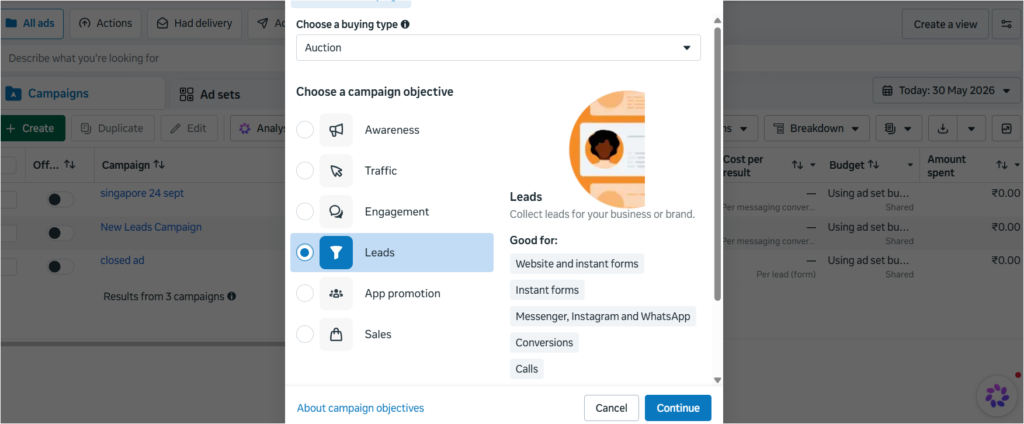
Once you have clicked on leads, you need to click the continue button.
Then you need to name your campaign. In my case, I named my campaign “Lead_Campaign_Form_30May” just to remember it for me, because it is a lead generation campaign and my goal is that people can click on the ad and then submit their info on the form, and I mentioned the date when I had created the campaign.
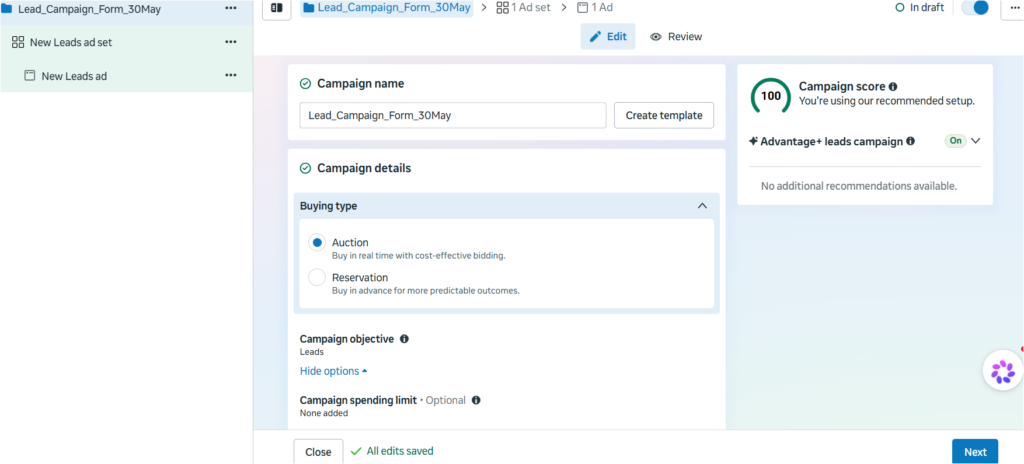
You will see some options like ‘auction’ and ‘reservation’; make it ‘auction’ if it is not selected; otherwise, leave it.
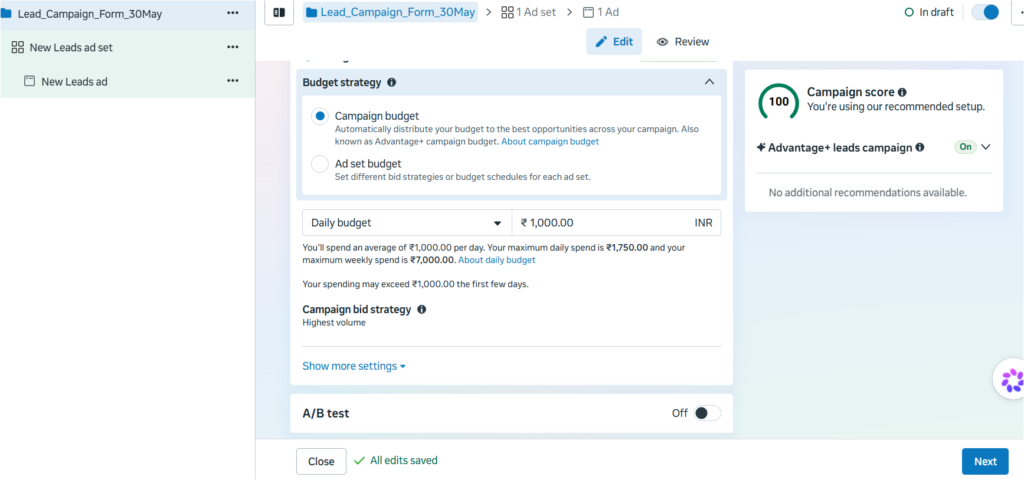
There are two type of budget strategy, one is campaign, and another one is ad set budget, if you are only creating one ad set then go for campaign budget (recommended for beginners).
I am putting Rupees 1000 per day budget that could be $11 approx per day.
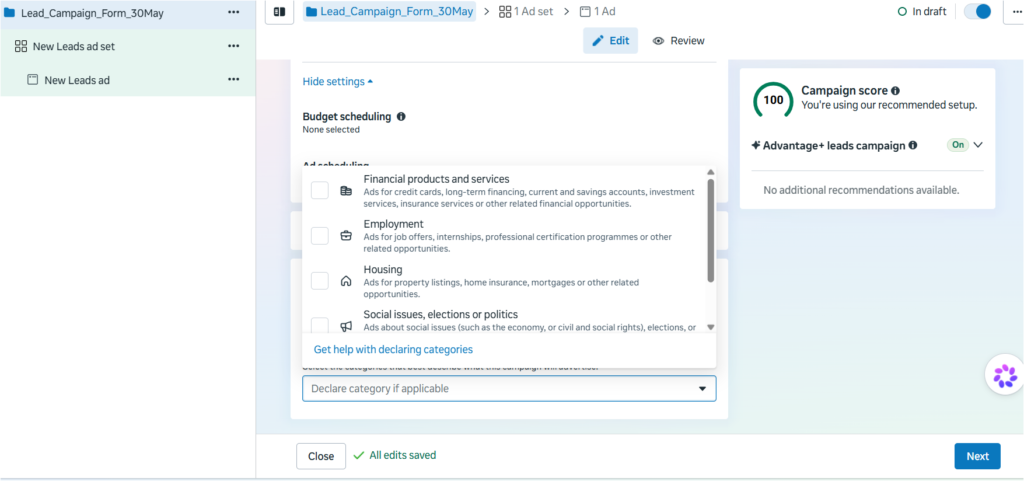
If you are under below categories then select any one relevant, otherwise skip and click on next button.
Now you need to give a name to your ad set as per your preference.
Then go to the conversion section, click on single goal, and then click on instant form.
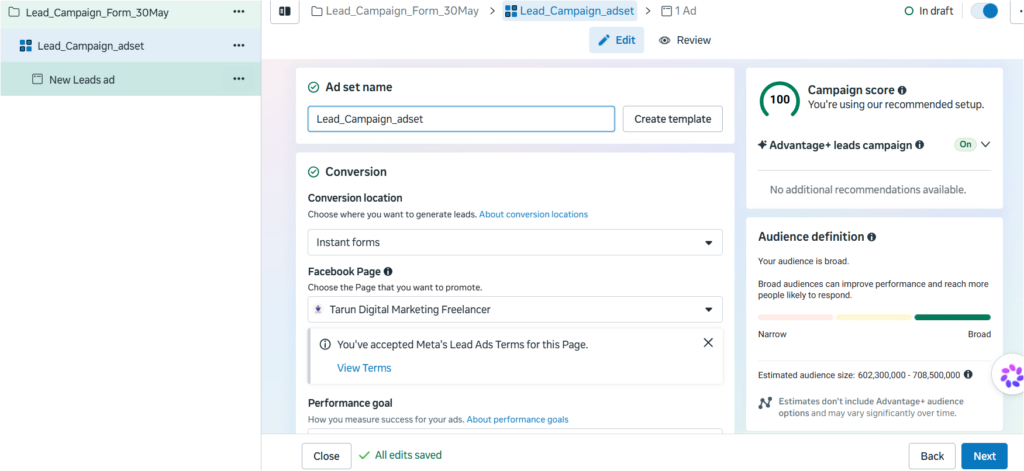
Once the form is selected, click and select your Facebook page, which is important because there is a type of quality audience still using Facebook.
In “Performance Goals”, keep it to maximise the number of leads.
Skip cost-per-result goals.
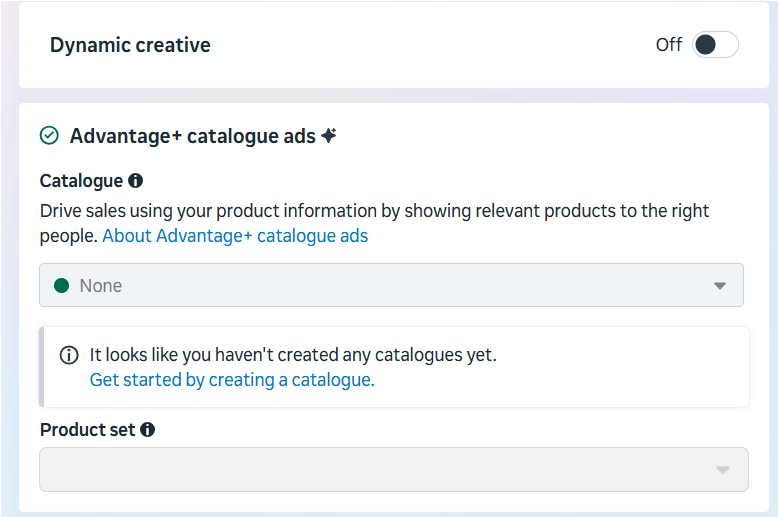
Skip the dynamic creative section and advantage + catalogue ads section too.
If you don’t want to run your ads now, you can mark a date for the future so your ad will start automatically once the date and time match.
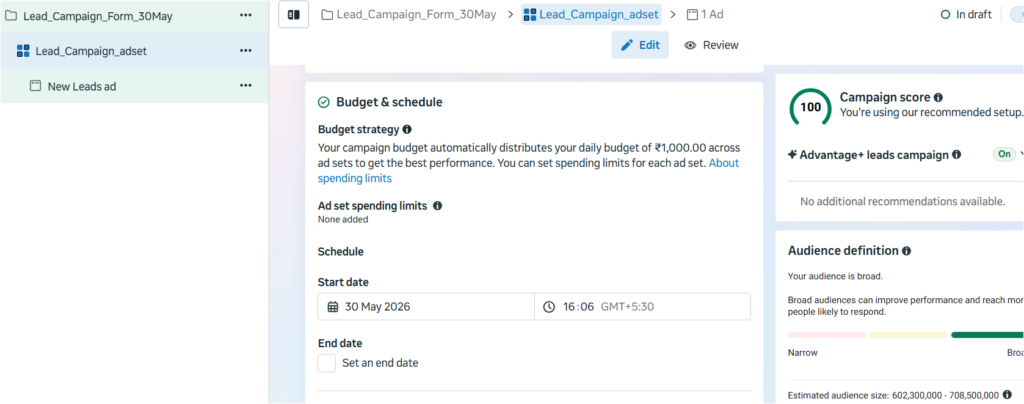
Now come to the main part, the AUDIENCE section. You can use a saved audience if you have created your audience in the audience section in Meta; otherwise, follow the below steps:-
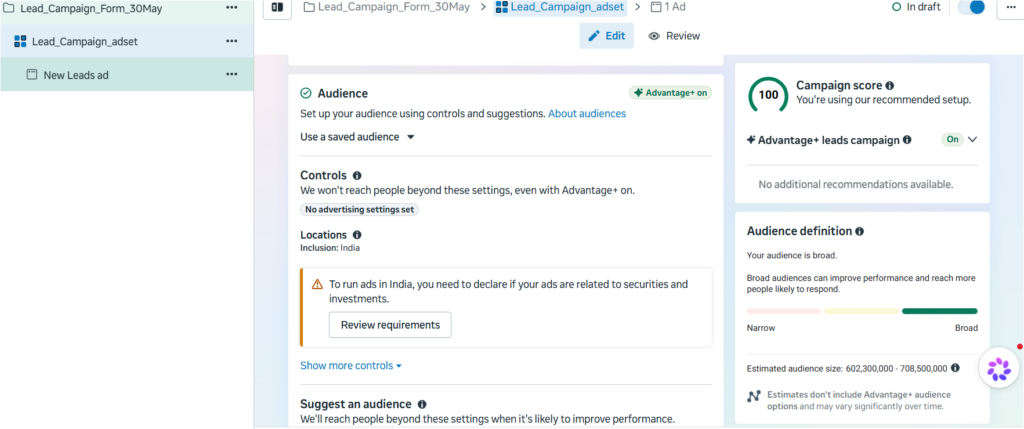
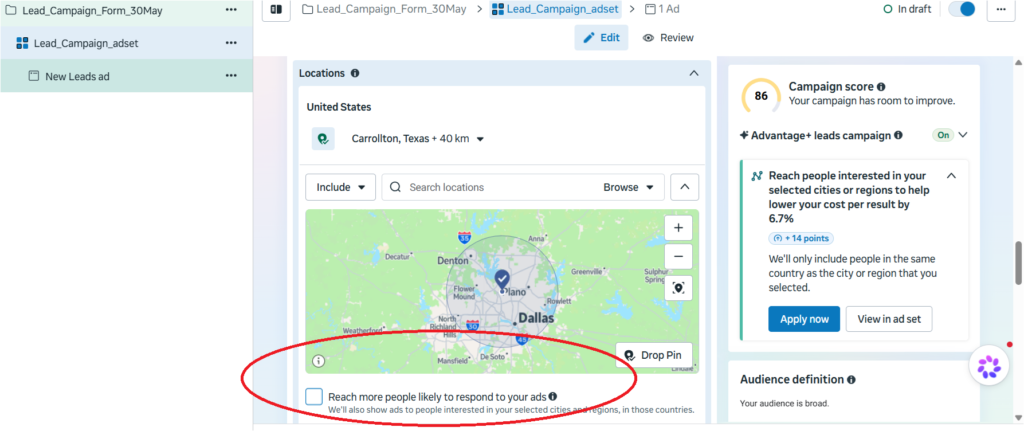
Select the country you want to target or cities under location section, i have mentioned carrollton as a city of target.
:- UNCHECK the ‘reach more people…’ section; it will wipe out your money. You need to uncheck this.
Once you have selected your cities/countries of target, you can go down and click on “show more controls” section. Then you will find some important things.
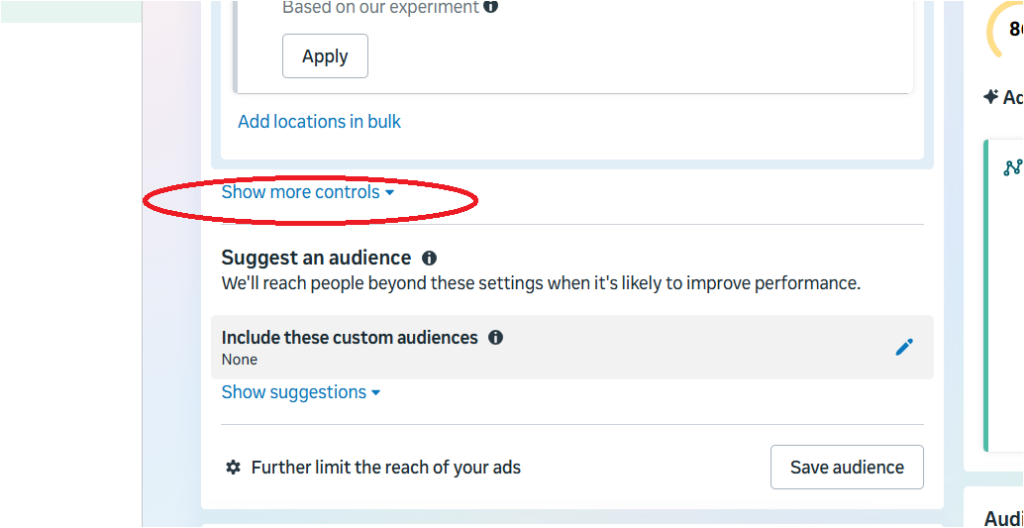
Then some options will appear:-
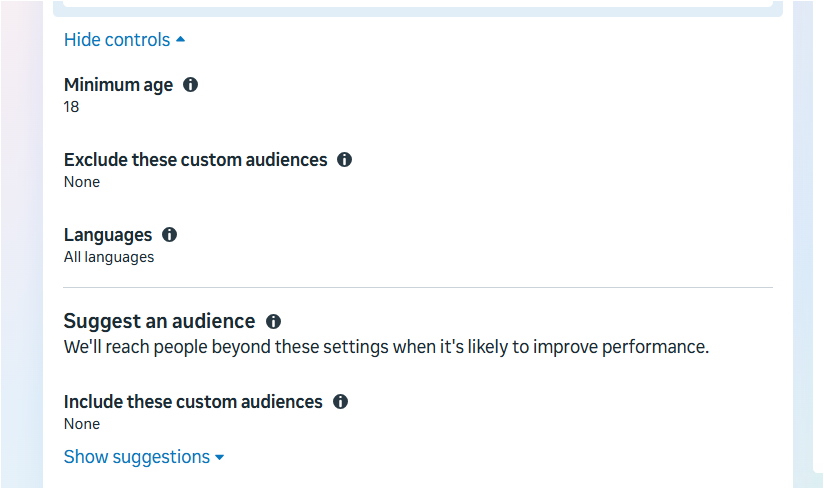
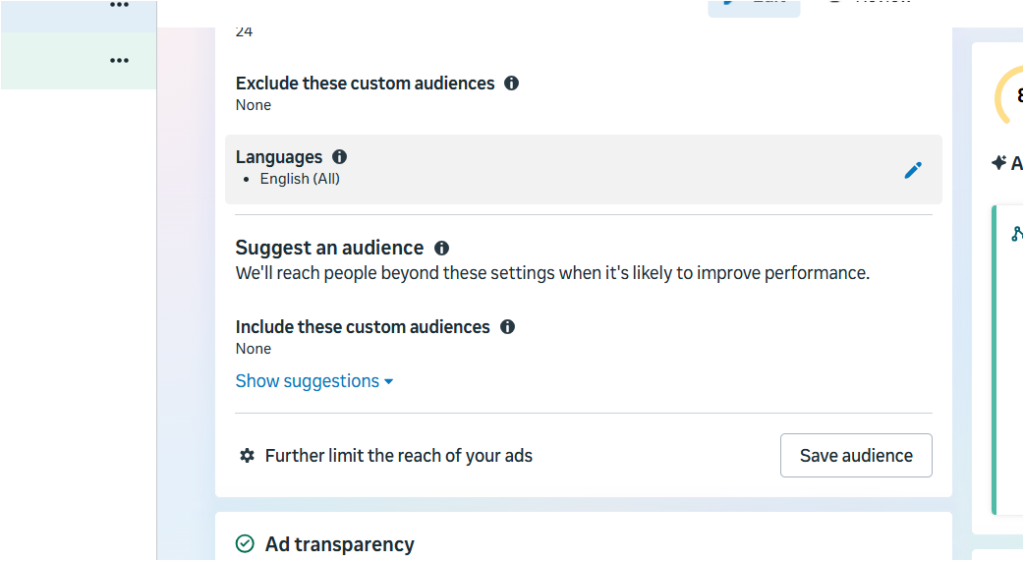
You can now select the languages, minimum age you want to target, for me it is 24 minimum of page and language will be English (All).
Then click on “Show Suggestions” section:-
Now you can target in a very detailed way:-
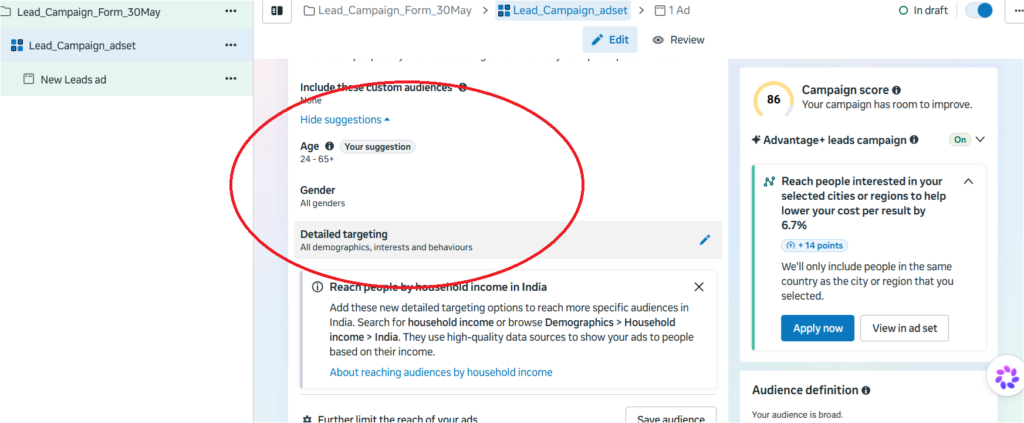
For me, i am selecting age targeting from 24 to 61, in genders, i select all genders, in detailed targeting, my targeting will be related to digital marketing audience, like the people who are looking for digital marketing services.
Now you can click on the save audience button and name it as per your preferences.
Now you can see below my targeting audience clearly, you have to target your audience accordingly, if you need help you can give detail to chatgpt and ask them to give you a targeted audience based on your interest, ask chatgpt or any other AI tool to give you audience based on what similar companies are targeting.
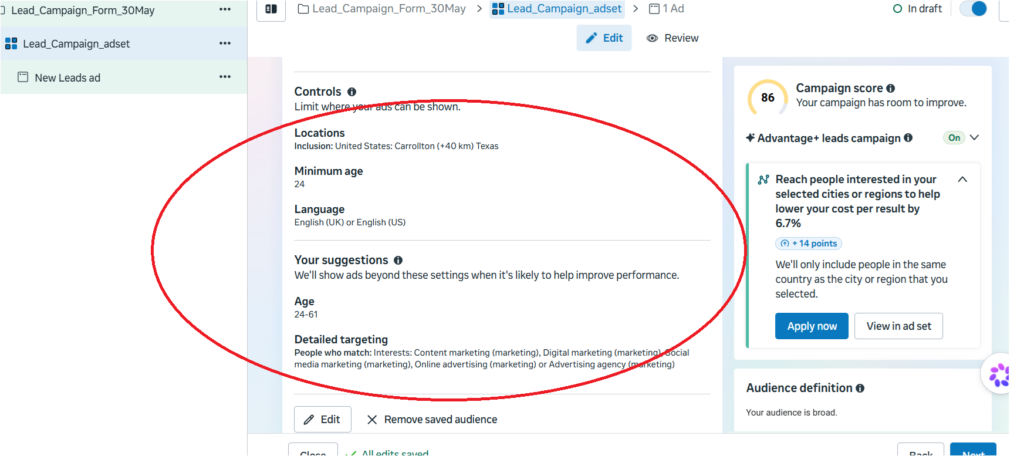
In my case I want to show my ad to everyone, so I am going to skip the placement section and click next.
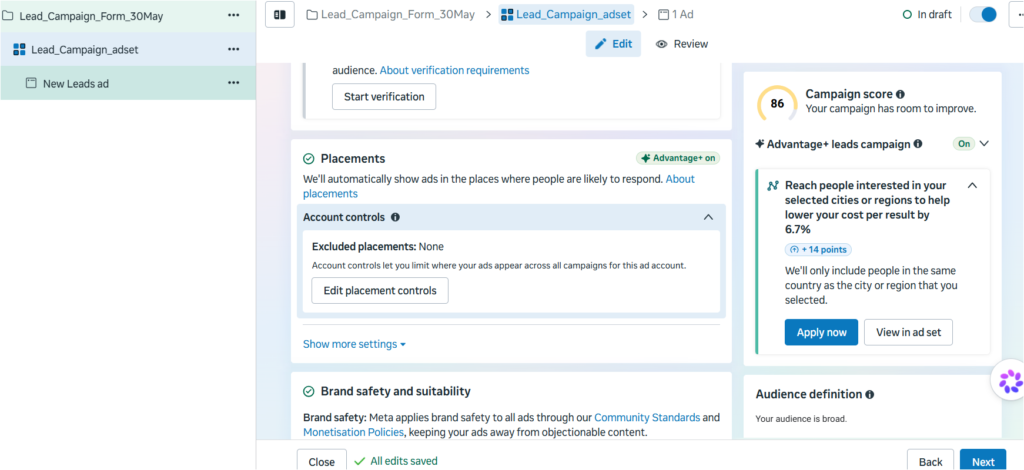
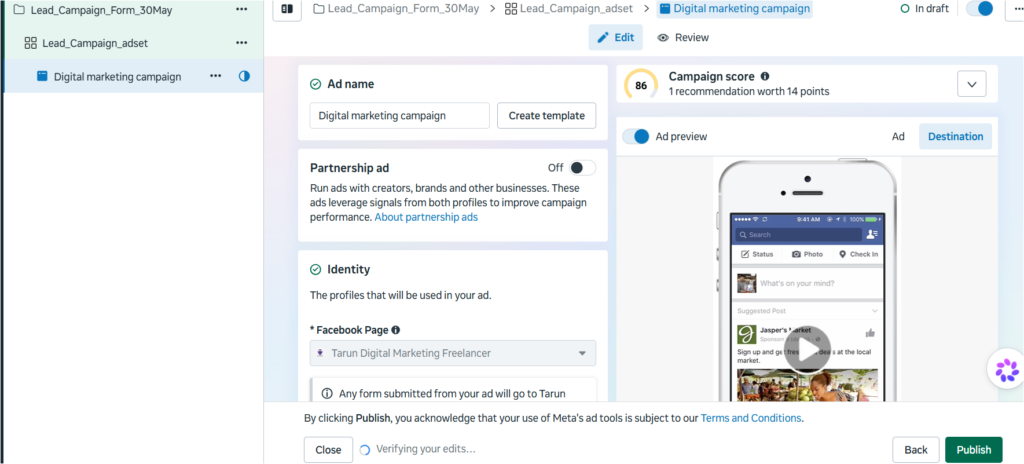
Now click next and we are on other step, name your audience ad and you can see something different from past, Skip the partnership ad section.
Under instagram profile section, you can select your page, i have not connected because it is a dummy account, i am connecting it now.
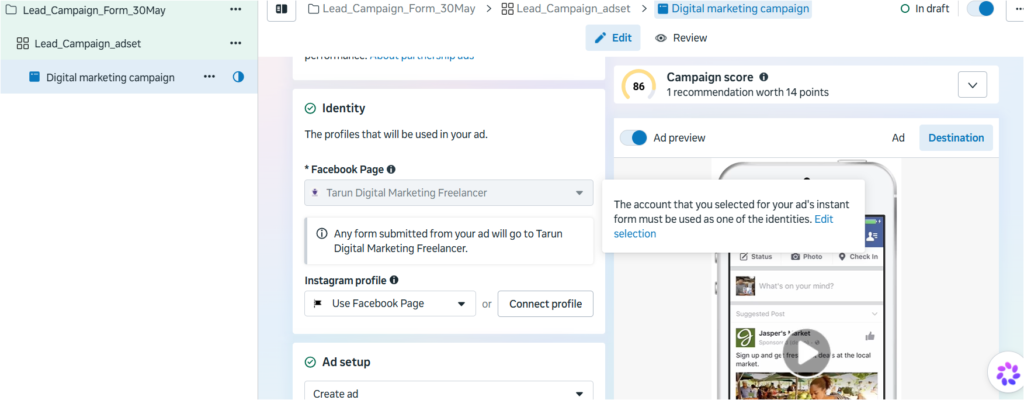
Once you have connected instagram account you will be able to see a type of instagram account.
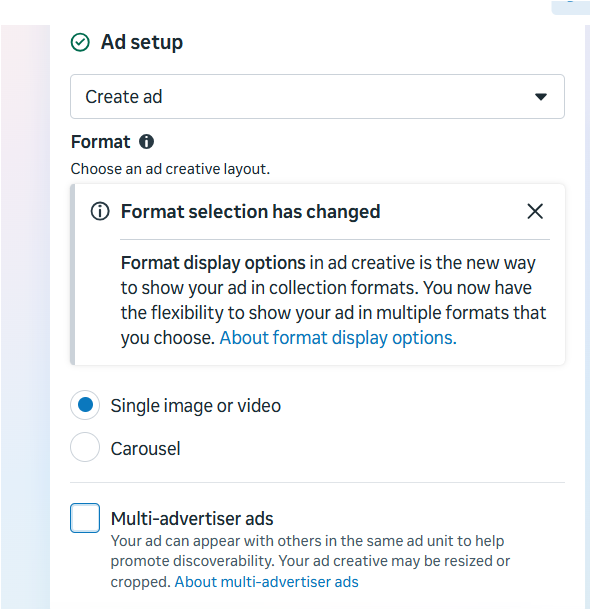
Uncheck the multi-advertiser ads section.
Go to the destination section as form:-
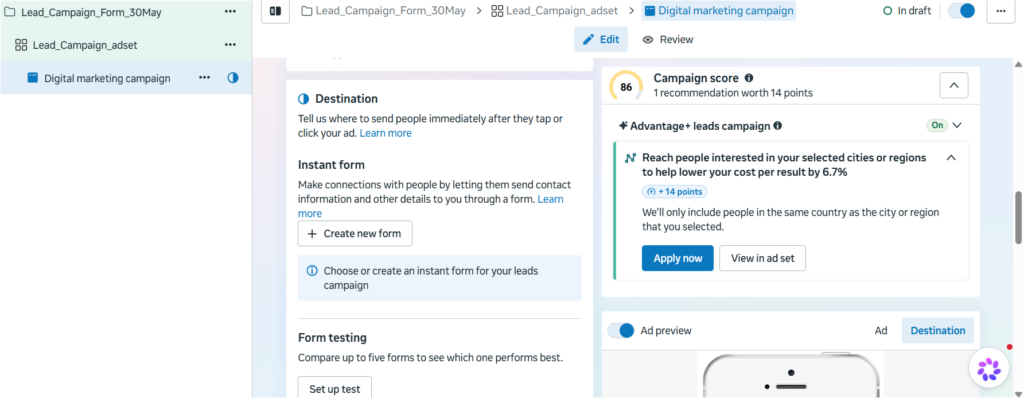
Create a form as per your preference, steps are below:-
Form name – give form name (abc form )
Form type – click on higher intent
Flexible form delivery- uncheck this section and click next
Greeting section – > Headline (Click continue to fill your details) -> description (Please click continue to fill your details and connect with our agent or expert).
Now click next:-
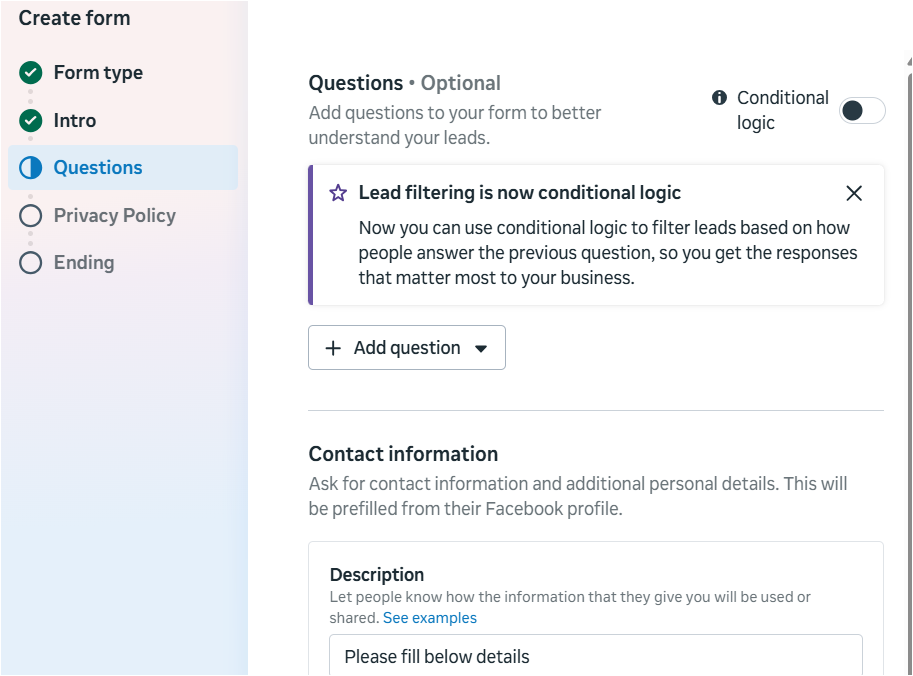
Ask some short questions under “add question” section, for example:-
What is your requirement?
What Is Your Company Name?
How Old Your Business Is?
Above questions should be relevant to your business model.
Then click on continue button
Uncheck the privacy policy button:-
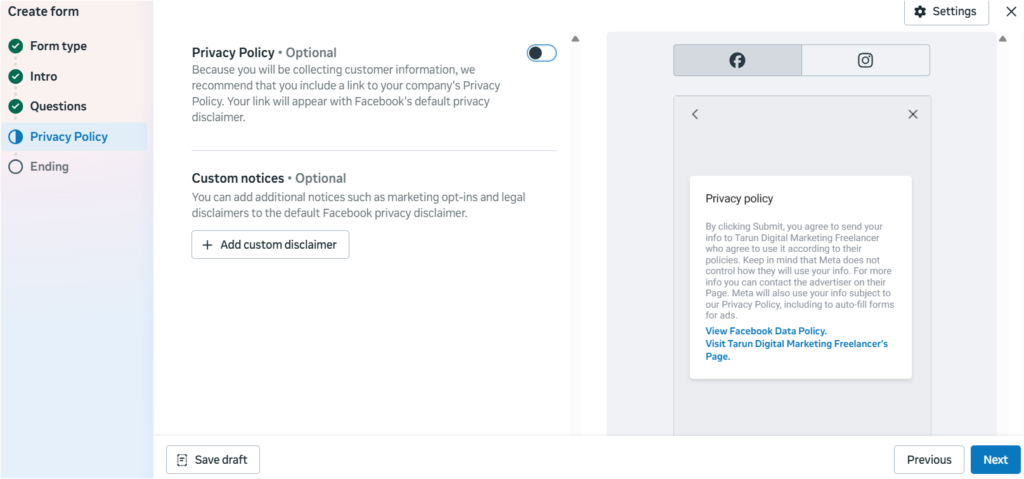
Once you have done that, click next, then update the thank-you note at the end and click create form section’. Your form is created.
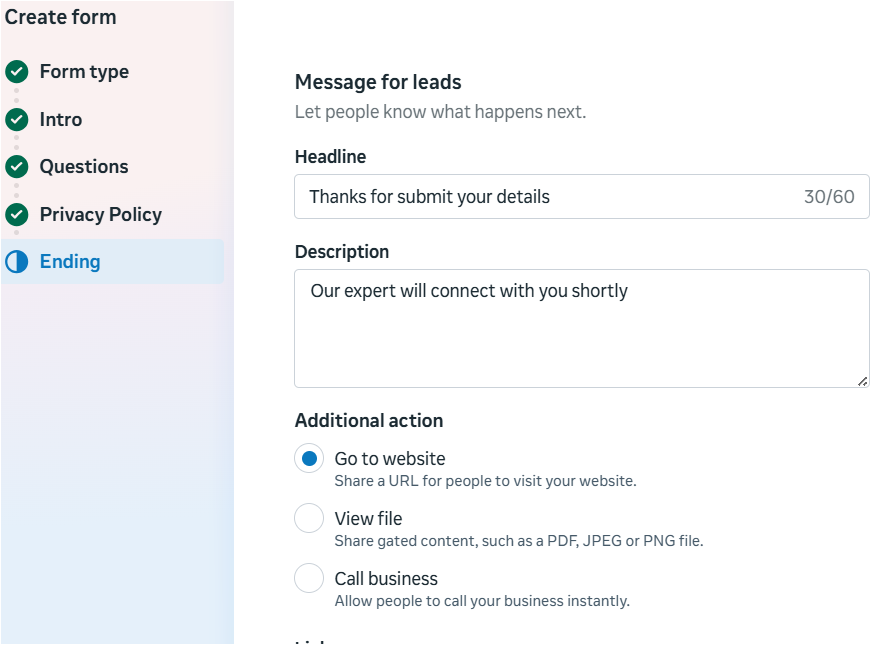
You can also put a call button or WhatsApp button to connect with people once they have submitted the form.
Skip section:- Form testing, quality filters and instant form lead nurturing.
Setup Ad Creative Now:-
Click on set up creative, then choose the image or video that you need to put as a creative that will be highlighted; it should be included with services you offer, benefits, USPs and call to action.
You can upload or choose from the existing posts that you have posted before.
Once you have uploaded the image, click ‘next’ and then put text on it. Mention title, description etc.
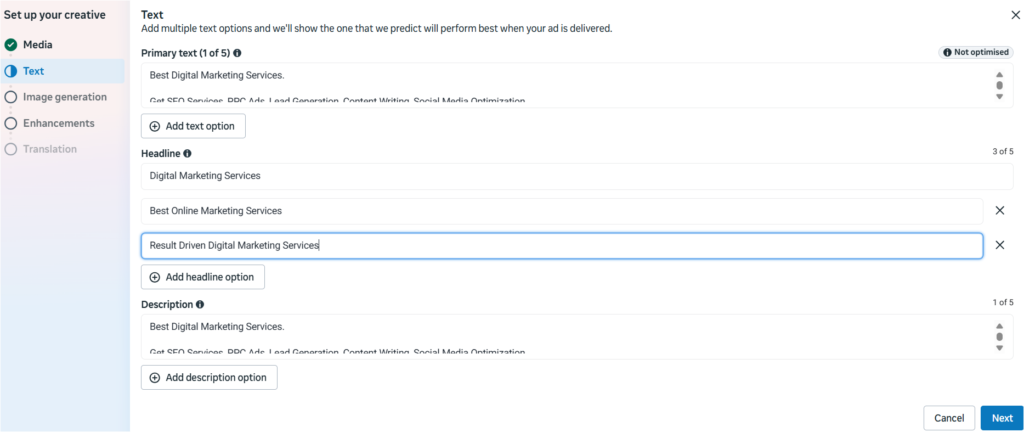
Skip the places below:-
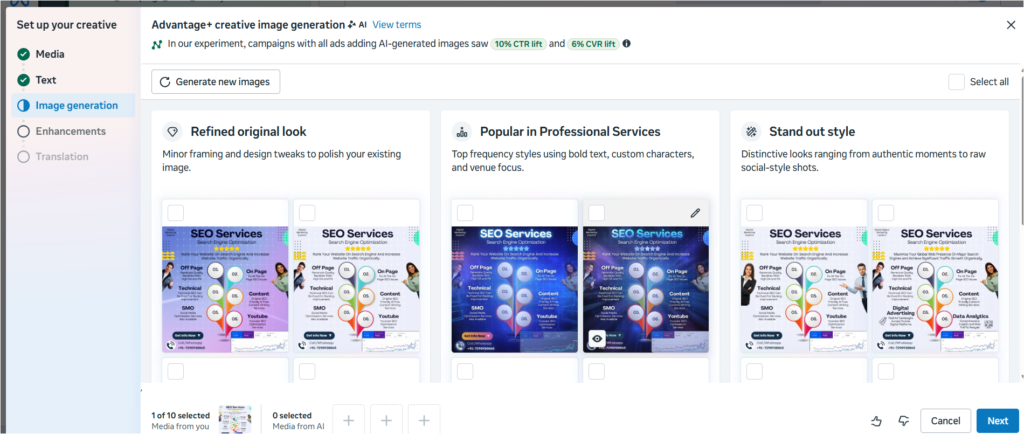
On next step, enhancements, you can put audio using it.
Click on the ‘done’ section.
Your ad is ready now; click publish:-
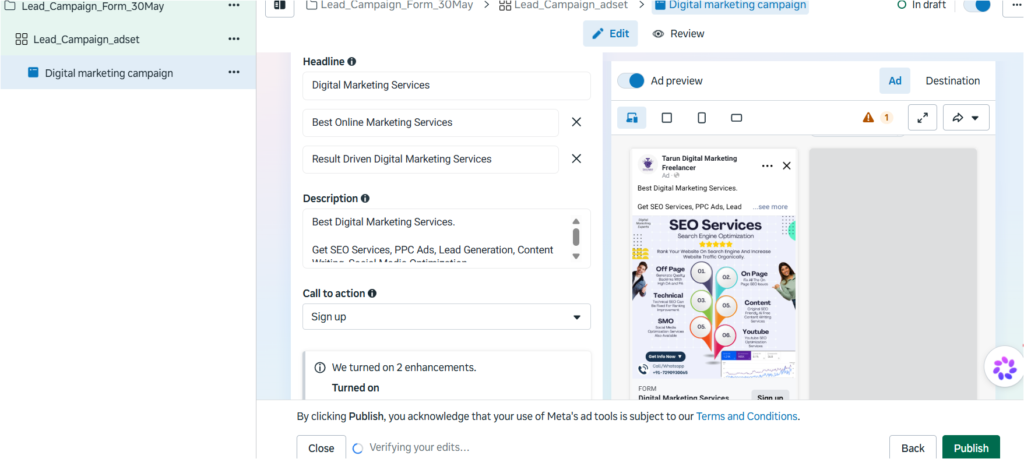
Wait for ad to be live; it will take some time, like 1 hour or 6 hours, once it is done, then you will start getting results, wait for atleast 2 days. Now there is no need to find more how to generate quality leads on meta, you are an expert now after following above steps. If you want to know more in detail, visit our website.
Other Topics:- Are You Losing Skills? , SEO For Ecommerce Industry , Amazon Alexa Echo Dot
Related posts:
 SEO for Travel Website: How To Generate Quality Leads Through Website Traffic
 The Ultimate On-Page SEO Checklist 2026: 47 Points to Rank #1 on Google
 Google Business Profile Listing Removed or Merged in 2026? Fix Duplicate Listings, Resolve Ownership Disputes & Recover Your Profile
 How to Do a Website Audit: A Complete Step-by-Step Guide for 2026
 Instagram Account Suspended or Restricted in 2026? Growth Hack Appeal Guide: Shadow Bans, Action Blocks & How to Regain Reach
 How to Optimize Your Google Business Profile: The Complete 2026 Guide for Local Visibility