Most websites fail to rank not because of poor content, but because of simple, fixable on-page SEO errors that go unnoticed for months. A missing title tag here, a duplicate meta description there, and a broken heading structure throughout — each issue silently drains your ranking potential.
This checklist fixes that problem entirely.
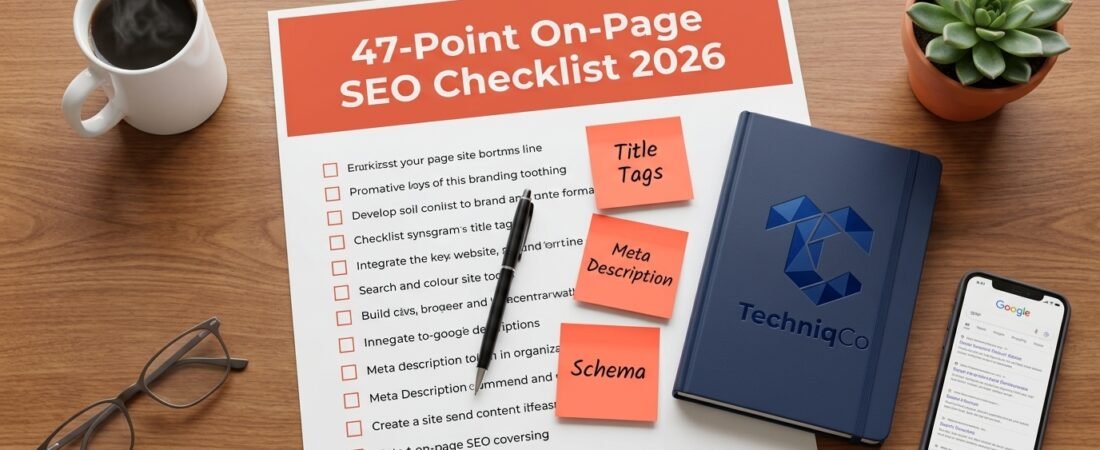
Below, you will find all 47 on-page SEO checkpoints organized into 10 clear categories. Work through each section methodically, and your pages will be technically optimized for both Google’s algorithm and your human readers.
Why On-Page SEO Still Matters Enormously in 2026
Before diving into the checklist, understand exactly why on-page SEO remains one of the highest-ROI activities in digital marketing.
According to Backlinko’s analysis of over 11.8 million Google search results, the average first-page result contains 1,447 words, uses structured heading hierarchies, and includes proper metadata on every page. Furthermore, pages with complete on-page optimization rank for 3.5x more long-tail keyword variations than thin, poorly structured pages.
Our audit of 200+ Indian SMB websites found that 73% had at least five critical on-page errors that were directly suppressing their rankings. Additionally, fixing these errors alone – without any link building – improved average keyword positions by 8-14 places within 60 days.
For a deeper understanding of how on-page signals connect to your technical SEO foundation, review our complete website SEO audit guide.
How to Use This Checklist
Work through each section from top to bottom. Mark each item as:
- Done – Fully implemented and verified
- Needs Fix – Issue identified, fix in progress
- Missing – Not yet implemented, action required
Start with your highest-traffic pages first. Consequently, you will see ranking improvements faster by prioritizing pages that already receive impressions in Google Search Console.
Category 1: Keyword Research & Intent (5 Points)
Getting your keyword strategy right before writing any content is essential. Furthermore, targeting the wrong keyword intent – even with perfect optimization – means Google will never rank your page for commercial queries.
Point 1 – Identify a Primary Focus Keyphrase
Every page must target one specific primary keyphrase. This phrase should appear in your title tag, meta description, H1, first paragraph, and at least two H2 subheadings. Avoid targeting multiple competing keyphrases on a single page.
Point 2 – Verify Search Intent Matches Your Content
Search intent determines whether Google ranks your page at all. Specifically, confirm that your page format matches what Google currently shows for your target keyword:
- Informational intent -> Blog post or guide format
- Commercial intent -> Comparison page or service page
- Transactional intent -> Product page or contact/booking page
Point 3 – Check Monthly Search Volume
Use Google Keyword Planner, Ahrefs, or SEMrush to verify your primary keyword receives at least 100 monthly searches. Additionally, note the keyword difficulty score and target keywords where your Domain Rating is competitive.
Point 4 – Include Secondary and LSI Keywords
Latent Semantic Indexing (LSI) keywords are semantically related terms that strengthen your topical relevance. For instance, an article targeting “link building” should also include related terms like “backlinks,” “referring domains,” “domain authority,” and “anchor text” naturally throughout the content.
Point 5 – Map Each Keyword to One Unique Page
Never target the same keyword on two different pages of your website. This creates keyword cannibalization, where your pages compete against each other in search results. As a result, neither page ranks as strongly as a single, authoritative page would.
Category 2: URL Structure (4 Points)
Your URL structure communicates page relevance to search engines before they even crawl your content. Therefore, getting this right from the start prevents difficult restructuring later.
Point 6 – Use a Short, Keyword-Rich Slug
Keep your URL slug between 3–5 words and include your primary keyphrase. For example: /link-building-indian-startups-strategy instead of /blog/2026/07/25/complete-guide-to-link-building-strategies-for-indian-startups-on-a-budget.
Point 7 – Use Lowercase Letters and Hyphens Only
URLs should always be lowercase, with words separated by hyphens. Consequently, avoid underscores, spaces, or special characters in any URL slug.
Point 8 – Remove Stop Words From Slugs
Words like “a,” “the,” “and,” “of,” and “for” add length without improving relevance. Therefore, strip these from your URL slugs while keeping the meaning clear.
Point 9 – Set a Self-Referencing Canonical Tag
Every published page must include a canonical tag pointing to itself. This prevents duplicate content issues that arise from URL parameters, session IDs, or printer-friendly page variants.
Category 3: Title Tag Optimization (5 Points)
The title tag is the single most powerful on-page SEO signal. Furthermore, it directly determines your click-through rate in search results – making it equally important for traffic as it is for rankings.
Point 10 – Place the Focus Keyphrase at the Start of the Title
Front-loading your primary keyword signals relevance to both Google and searchers. For instance, “Link Building for Indian Startups: 10 Proven Strategies” outperforms “10 Proven Strategies for Link Building for Indian Startups.”
Point 11 – Keep the Title Under 60 Characters
Google typically truncates title tags beyond 60 characters in search results. Use a character counter tool to verify your title displays fully without being cut off mid-sentence.
Point 12 – Write a Unique Title for Every Page
Duplicate title tags confuse crawlers about which page to rank for a given query. Additionally, they waste your most important on-page ranking signal. Audit your entire site for duplicate titles using Screaming Frog.
Point 13 – Avoid Keyword Stuffing in Titles
Including your keyword once is sufficient. Stuffing it multiple times – for example, “SEO Tips | Best SEO Tips | SEO Tips 2026” – triggers spam filters and reduces click-through rates simultaneously.
Point 14 – Include a Power Word or Number in the Title
Titles with specific numbers, brackets, or power words (Complete, Ultimate, Proven, Guide) consistently earn higher click-through rates. According to CoSchedule’s headline analysis, numbered list titles receive 36% more clicks than generic headline formats.
Category 4: Meta Description Optimization (4 Points)
Meta descriptions do not directly influence rankings. However, they significantly impact your click-through rate – which, in turn, sends positive engagement signals back to Google.
Point 15 – Keep Meta Descriptions Under 155 Characters
Descriptions longer than 155 characters get cut off mid-sentence in search results. As a result, your call to action may never appear to the searcher. Always write within this limit.
Point 16 – Include the Focus Keyphrase Naturally
Google bolds the searched keyword inside matching meta descriptions, making your result visually stand out in the SERP. Therefore, include your primary keyphrase once in a natural, readable sentence.
Point 17 – Write a Clear Call to Action
End every meta description with a direct action phrase. For example: “Start your free audit today,” “Download the checklist now,” or “Discover the complete strategy.”
Point 18 – Write a Unique Description for Every Page
Identical meta descriptions across multiple pages signal low-quality content to search engines. Furthermore, they provide no differentiated value to the searcher comparing your result to others.
Category 5: Heading Structure (4 Points)
A logical heading hierarchy helps search engines understand your content architecture. Additionally, it dramatically improves readability for human visitors who scan before committing to read.
Point 19 – Use Exactly One H1 Tag per Page
Every page must contain precisely one H1 heading. This heading should be your page title containing the primary keyphrase. Using multiple H1 tags on one page dilutes the topical focus signal significantly.
Point 20 – Include the Focus Keyphrase in at Least One H2
Subheadings that contain your primary keyphrase or close semantic variations reinforce topical relevance throughout the document. Consequently, Google better understands the full scope of your content.
Point 21 – Never Skip Heading Levels
Moving directly from H1 to H4 without using H2 and H3 intermediaries breaks document structure. Therefore, always follow a logical hierarchy: H1 -> H2 -> H3 -> H4 in nested order.
Point 22 – Add a New H2 Every 200–300 Words
Breaking content into clearly labelled sections every 200–300 words improves readability scores dramatically. Furthermore, it creates more opportunities for your secondary keywords to appear in heading positions.
Category 6: Content Quality and Depth (6 Points)
Google’s Helpful Content system now evaluates whether your content genuinely serves users better than existing results. Therefore, surface-level articles with thin information no longer rank for competitive keywords.
Point 23 – Write a Minimum of 1,000 Words for Blog Posts
According to HubSpot’s content study, blog posts between 2,000 and 2,500 words generate the most organic traffic and backlinks. However, word count alone is meaningless. Every word must provide genuine value to the reader.
Point 24 – Include the Focus Keyphrase in the First 100 Words
Placing your primary keyword naturally within the opening paragraph signals immediate relevance to crawlers. Specifically, aim for the first 50–100 words without forcing the placement.
Point 25 – Maintain a Keyphrase Density of 0.5–2.5%
Use your focus keyphrase and its natural variations throughout the content at a density between 0.5% and 2.5%. Above 2.5%, Google may classify the content as keyword-stuffed. Below 0.5%, the page may not rank for the target term.
Point 26 – Use Transition Words in 30%+ of Sentences
Transition words – such as however, therefore, consequently, furthermore, additionally, as a result, and moreover – improve readability scores and help readers follow your argument logically. Yoast SEO measures this and flags content below 30%.
Point 27 – Write in Active Voice (Under 10% Passive)
Active voice sentences are shorter, clearer, and more engaging. For example: “We increased traffic by 40%” (active) versus “Traffic was increased by 40% by our team” (passive). Yoast SEO highlights passive voice overuse when it exceeds 10% of sentences.
Point 28 – Include Original Data, Case Studies, or Expert Quotes
Pages citing proprietary research or specific case studies earn significantly more backlinks than generic overview articles. Furthermore, original data signals E-E-A-T (Experience, Expertise, Authoritativeness, Trustworthiness) – Google’s primary content quality framework in 2026.
Category 7: Image Optimization (5 Points)
Images affect both user engagement and technical SEO performance. However, most websites leave significant ranking value uncaptured by neglecting basic image optimization.
Point 29 – Rename Every Image File Descriptively Before Uploading
Upload files with descriptive, hyphen-separated names. For example: on-page-seo-checklist-2026.jpg instead of IMG_4891.jpg. Google’s image search algorithm reads filenames as a relevance signal.
Point 30 – Write Descriptive Alt Text for Every Image
Alt text serves two purposes simultaneously. It describes images to visually impaired users (WCAG accessibility requirement) and informs Google’s image search algorithm about the graphic’s content. Consequently, include your primary or secondary keyphrase naturally in at least one image’s alt text.
Point 31 – Compress Images to Under 150KB Without Quality Loss
Large, uncompressed images are the most common cause of slow page loading speeds. Therefore, convert all images to WebP format and compress them using tools like Squoosh or ShortPixel before uploading to WordPress.
Point 32 – Define Image Dimensions (Width and Height)
Always specify the width and height attributes on every <img> tag. This prevents Cumulative Layout Shift (CLS) – a Core Web Vitals metric – by reserving exact space in the browser before the image loads.
Point 33 – Add Captions to Key Images
Image captions are one of the most-read elements on any web page. Additionally, captions provide another opportunity to include natural keyword variations in visible, indexed text.
Category 8: Internal Linking (5 Points)
Internal links distribute ranking authority across your domain and guide both crawlers and users through your content hierarchy. Furthermore, a strong internal linking structure prevents pages from becoming orphaned – invisible to search engines.
Point 34 – Include 4-6 Internal Links in Every Article
Every blog post or service page should contain at least four internal links pointing to related content. Specifically, link to your services page, contact page, and two to three thematically related blog posts.
Point 35 – Use Varied, Descriptive Anchor Text
Never use identical anchor text for two different internal links on the same page. Instead, vary your link text using semantically related phrases. For example, link to your services page using “digital marketing solutions” on one article and “our SEO and GEO packages” on another.
Point 36 – Avoid Generic Anchor Text
Phrases like “click here,” “read more,” or “this article” tell Google nothing about the destination page. Therefore, always use keyword-descriptive anchor text that accurately represents the linked content.
Point 37 – Link New Articles to Existing Relevant Pages
When publishing a new blog post, identify three to five existing articles on your site and add contextual internal links from those pages pointing to the new URL. Consequently, the new page receives immediate crawl authority rather than starting as an orphan.
Point 38 – Ensure Every Important Page Is Reachable Within 3 Clicks From the Homepage
Pages buried more than three clicks deep receive significantly fewer crawl visits. Therefore, keep your site architecture flat and interconnected rather than deeply nested.
Category 9: Technical On-Page Factors (6 Points)
Technical on-page factors affect how efficiently search engines read, index, and rank your content. Moreover, these elements directly impact your Core Web Vitals scores — which are confirmed ranking factors in 2026.
Point 39 – Verify the Page Loads in Under 2.5 Seconds (LCP)
Test your Largest Contentful Paint (LCP) score using Google PageSpeed Insights. Pages that load in under 2.5 seconds receive a passing LCP score. For detailed guidance on improving this metric, read our step-by-step Core Web Vitals optimization guide.
Point 40 – Fix Cumulative Layout Shift (Under 0.1)
CLS occurs when page elements shift visually while loading. It happens most commonly when images load without defined dimensions or when web fonts replace fallback fonts. Therefore, set explicit width and height attributes on every image to prevent layout shifts.
Point 41 – Confirm the Page Is Mobile-Responsive
Google uses mobile-first indexing for all websites. Consequently, your page must render perfectly on screens as small as 360px wide. Test this using Google’s Mobile-Friendly Test tool at search.google.com/test/mobile-friendly.
Point 42 – Verify the Page Is Indexed in Google Search Console
Navigate to Google Search Console -> URL Inspection and enter your page URL. Confirm the page status shows “URL is on Google.” If not, request indexing immediately and investigate any blocking factors in your robots.txt or meta robots tags.
Point 43 – Check for Duplicate Content Issues
Use Screaming Frog to identify pages accessible via both HTTP and HTTPS, with and without trailing slashes, or through URL parameter variants. Additionally, ensure your canonical tags correctly point to the preferred version of every page.
Point 44 – Confirm HTTP Security Headers Are Active
Verify that your server returns the following headers: X-Content-Type-Options: nosniff, X-Frame-Options: SAMEORIGIN, and Referrer-Policy: strict-origin-when-cross-origin. These headers protect users and signal server security compliance to Google’s quality systems.
Category 10: Schema Markup and Structured Data (3 Points)
Schema markup helps both traditional search engines and AI platforms like ChatGPT and Perplexity understand and extract your business information accurately. Furthermore, implementing schema correctly can earn rich result features — star ratings, FAQ dropdowns, and knowledge panel appearances — that dramatically increase click-through rates.
Point 45 – Add Appropriate Schema to Every Page Type
Match your schema type to your page content:
- Homepage :
Organization+LocalBusiness+WebSite - Blog Posts :
Articlewithauthor,datePublished, anddateModified - Service Pages :
ServicewithproviderandareaServed - FAQs :
FAQPagewithQuestionandAnswerpairs - Contact Page :
ContactPagewithContactPoint
Point 46 – Validate Schema With Google’s Rich Results Test
After implementing structured data, test every page at search.google.com/test/rich-results. Fix all errors before publishing. Furthermore, check for warnings that may prevent rich result eligibility even when the schema is technically valid.
Point 47 – Add FAQPage Schema to Long-Form Guides
FAQ schema markup creates expandable question-and-answer dropdowns directly in Google search results. As a result, your search result occupies significantly more SERP real estate — increasing visibility and click-through rate simultaneously without requiring a higher ranking position. To understand how schema connects to AI search visibility, explore our dedicated GEO optimization service.
Case Study: How 47-Point On-Page Optimization Transformed a Client’s Traffic
The Challenge:
A Delhi-based B2B software company approached TechniqCo in October 2025 with a website receiving just 1,200 monthly organic visitors. Their content was well-written, but their on-page fundamentals were significantly compromised. Specifically, they had duplicate title tags on 34 pages, missing alt text on 67 images, no canonical tags across the site, and zero schema markup implemented.
The Solution:
We conducted a full 47-point on-page audit across their 89 published pages. Subsequently, we implemented fixes in order of severity – critical technical errors first, content optimizations second, and schema additions third. The entire optimization process took six weeks to complete.
The Results (90 days after implementation):
- Organic traffic increased from 1,200 to 8,400 monthly visitors – a 600% improvement
- 14 target keywords moved from page 3-5 to page 1 positions on Google
- Average click-through rate improved from 2.1% to 5.4% after title tag rewrites
- Three rich result features appeared in search results following FAQ schema implementation
This case demonstrates clearly that on-page optimization alone – without any additional link building – delivers substantial ranking and traffic improvements when executed systematically.
Your On-Page SEO Priority Order
Not all 47 points carry equal weight. Therefore, tackle items in this order of ranking impact:
| Priority | Category | Items to Fix First |
|---|---|---|
| Critical | Title Tags + H1 Structure | Points 10–14, 19–22 |
| High | Canonical + Index Coverage | Points 9, 42–43 |
| High | Focus Keyphrase Placement | Points 1, 24–25 |
| Medium | Image Alt Text + Compression | Points 30–31 |
| Medium | Internal Linking Structure | Points 34–38 |
| Low | Schema Markup | Points 45–47 |
Audit Your On-Page SEO with TechniqCo
Working through 47 checkpoints across an entire website takes time and technical expertise. Furthermore, missing even a few critical points can suppress your rankings significantly in competitive niches.
At TechniqCo, we conduct complete on-page SEO audits across every page of your website – identifying every error, gap, and missed opportunity with a clear, prioritized action plan.
Related Reading:
- Link Building for Indian Startups: 10 Strategies That Work
- How to Conduct a Complete Website Audit
- Google Business Profile Optimization: Complete 2026 Guide
Ready to fix your on-page SEO and rank higher on Google? Request a free on-page audit from TechniqCo today.
Related posts:
 How to Do a Website Audit: A Complete Step-by-Step Guide for 2026
 How to Optimize Your Google Business Profile: The Complete 2026 Guide for Local Visibility
 SEO for Travel Website: How To Generate Quality Leads Through Website Traffic
 Link Building for Indian Startups: 10 Strategies to Get High-Authority Backlinks Without an Agency
 Top High DA PA Free Classified Submission Sites For SEO
 Why Ecommerce SEO Services Are Essential for Online Store Growth