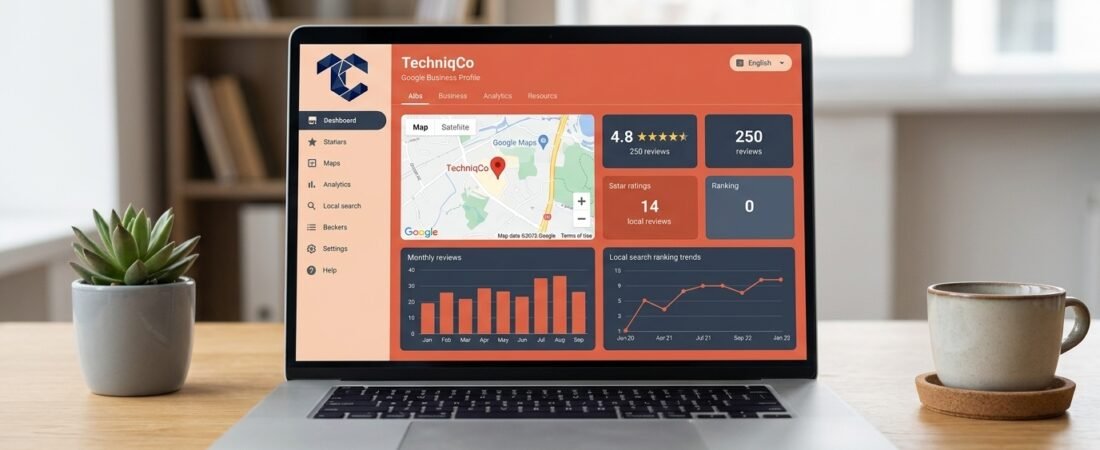
If your business serves customers in a specific city, neighbourhood, or region, your Google Business Profile is arguably the most powerful free marketing asset you own. It determines whether your company appears in the Google Maps 3-pack, surfaces in local “near me” searches, and earns the trust of prospects who compare options before making contact.
Yet the majority of Indian businesses create a Google Business Profile, fill in the basics, and never touch it again. This is a costly mistake. An unoptimized profile is an invisible profile.
In this comprehensive guide, we walk you through every step of Google Business Profile optimization, from initial setup to advanced tactics that consistently push businesses into the top three local search results.
Why Google Business Profile Optimization Matters
When someone searches for “digital marketing agency in Delhi” or “web developer near me,” Google displays a prominent map pack containing three local business listings directly above the organic search results. These three positions receive over 44% of all clicks on the page.
Your Google Business Profile controls whether you appear in that map pack. But simply having a profile is not enough. Google evaluates three core ranking factors for local results:
| Ranking Factor | What Google Evaluates | How to Influence It |
|---|---|---|
| Relevance | How closely your profile matches the searcher’s query | Complete every profile field with keyword-rich descriptions |
| Distance | Physical proximity between the searcher and your business | Accurately pin your location and define your service area |
| Prominence | How well-known and trusted your business is online | Earn reviews, build citations, and maintain consistent NAP data |
For a broader understanding of how local search fits into your overall digital strategy, explore our complete local SEO optimization checklist.
Step 1: Claim and Verify Your Profile
Before optimization begins, ensure you have full ownership of your listing:
- Visit business.google.com and sign in with your official business Google account.
- Search for your business name. If a listing already exists, click Claim this business. If not, click Add your business.
- Select your primary business category carefully. This is the single most important ranking signal for local search.
- Complete the verification process. Google typically offers verification via postcard, phone call, email, or video recording depending on your business type.
Common mistake: Many businesses use a personal Gmail account to create their profile. Always use a dedicated business email (e.g., info@techniqco.com) to maintain professional ownership and avoid access issues if team members change.
Step 2: Complete Every Single Profile Field
Google rewards completeness. Profiles with every field filled out are 2.7 times more likely to be considered reputable by searchers and receive 7 times more clicks than incomplete listings.
Business Name
Use your exact registered business name. Do not stuff keywords into the name field (e.g., “TechniqCo — Best SEO Agency Delhi” violates Google’s guidelines and risks suspension). Keep it clean: TechniqCo.
Primary and Secondary Categories
Your primary category carries the most weight. Choose the category that most precisely describes your core offering. Then add 3–5 secondary categories to cover adjacent services.
Example for TechniqCo:
- Primary:
Digital Marketing Agency - Secondary:
SEO Agency,Web Designer,Marketing Consultant,Internet Marketing Service
Business Description
You have 750 characters to describe your business. Use every character strategically:
- Open with your primary service and location keyword in the first sentence
- List your core service offerings naturally
- Include a clear call to action
- Avoid promotional language like “best” or “#1” — Google may reject it
Contact Information (NAP Consistency)
Your Name, Address, and Phone number must be identical across your Google Business Profile, website footer, social media accounts, and every online directory listing. Even minor inconsistencies (e.g., “Rd” vs “Road” or “+91-” vs “91”) confuse Google’s trust algorithms.
Service Area
If you serve clients beyond your physical location, define your service areas explicitly. You can add up to 20 service areas by city, district, or state.
Business Hours
Set accurate regular hours, special hours for holidays, and temporary closures. Businesses with up-to-date hours receive 20% more profile visits than those with outdated or missing schedules.
Step 3: Add High-Quality Photos and Videos
Visual content dramatically impacts engagement metrics. Google reports that businesses with photos receive 42% more direction requests and 35% more website clicks than those without.
What to Upload
| Photo Type | Recommended Count | Purpose |
|---|---|---|
| Cover Photo | 1 (high resolution) | First impression in search results |
| Logo | 1 (square, transparent background) | Brand recognition |
| Interior Photos | 3–5 | Build trust by showing your workspace |
| Team Photos | 2–3 | Humanize your brand |
| Work Samples | 5–10 | Showcase deliverables and results |
Photo Optimization Tips
- Use descriptive file names before uploading (e.g.,
techniqco-office-new-delhi.jpginstead ofIMG_4821.jpg) - Upload images at minimum 720px wide
- Add new photos every 2–4 weeks to signal that your business is active
- Include geotagged images when possible to reinforce your location signal
Step 4: Build a Consistent Review Strategy
Reviews are the strongest local ranking signal you can influence. Businesses with a higher volume of recent, positive reviews consistently outrank competitors in the map pack.
How to Earn More Reviews
- Ask at the right moment. Request reviews immediately after delivering a successful project or completing a service milestone.
- Make it effortless. Share your direct review link via email, WhatsApp, or SMS. You can generate this link from your Google Business Profile dashboard under “Ask for reviews.”
- Respond to every review. Google confirms that businesses that respond to reviews are considered more trustworthy. Thank positive reviewers by name and address negative reviews with professionalism and a resolution offer.
Review Response Framework
For positive reviews:
“Thank you, [Name]! We are glad our [specific service] delivered the results you were looking for. We look forward to continuing to support your growth.”
For negative reviews:
“Hi [Name], we appreciate your feedback and take this seriously. We would like to understand more about your experience. Please reach out to us at info@techniqco.com so we can resolve this promptly.”
Step 5: Publish Google Posts Weekly
Google Posts are mini-updates that appear directly on your business profile in search results. They function like social media posts but are visible to anyone who searches for your business.
Types of Google Posts
- What’s New: Share company updates, blog announcements, or industry insights
- Events: Promote webinars, workshops, or meetups with dates and registration links
- Offers: Highlight limited-time discounts or free consultation offers
Google Posts Best Practices
- Publish at least one post per week to maintain an active profile
- Include a clear CTA button (Learn More, Call Now, Book, Sign Up)
- Add a high-quality image to every post
- Keep the text concise — 150–300 words maximum
- Link posts to relevant blog content to drive traffic. For example, link to your latest article on how AI is transforming digital marketing.
Step 6: Add Products and Services with Descriptions
The Products and Services sections of your Google Business Profile allow you to list individual offerings with descriptions, prices, and direct links.
How to Structure Service Listings
Create a separate entry for each service with:
- A clear service name (e.g., “Search Engine Optimization”)
- A 150–300 word description incorporating relevant keywords naturally
- A link to the corresponding service page on your website
Example service entries for a digital marketing agency:
| Service Name | Description Keyword Focus | Link To |
|---|---|---|
| Search Engine Optimization | SEO services, organic rankings, keyword strategy | techniqco.com/search-engine-optimization |
| Website Development | WordPress development, responsive design | techniqco.com/website-development |
| Lead Generation | B2B leads, sales funnels, conversion optimization | techniqco.com/lead-generation |
| GEO Services | AI search optimization, ChatGPT visibility | techniqco.com/generative-engine-optimization-services-geo |
Step 7: Leverage the Q&A Section Proactively
Most businesses ignore the Questions & Answers section on their Google profile. This is a missed opportunity. Anyone can ask and answer questions on your profile, including competitors.
Proactive strategy: Seed your Q&A section with 10–15 frequently asked questions and answer them yourself from your business account. This:
- Controls the narrative around your services
- Injects additional keywords into your profile naturally
- Reduces friction for prospects evaluating your business
Example Q&A entries:
- Q: Does TechniqCo work with startups?
A: Yes, we specialize in helping Indian startups and SMBs build scalable digital marketing strategies, including SEO, paid ads, and AI-powered lead generation. - Q: Do you offer free website audits?
A: Absolutely. We provide complimentary website performance and SEO audits. You can request one at techniqco.com/contact.
Step 8: Track Performance with GBP Insights
Google Business Profile provides detailed analytics on how customers find and interact with your listing. Monitor these metrics monthly:
- Search Queries: Which keywords triggered your profile appearance
- Profile Views: How many people saw your listing on Search vs Maps
- Customer Actions: Calls, direction requests, website clicks, and message volume
- Photo Views: How your visual content compares to competitors in your category
Use this data to refine your keyword targeting, identify underperforming areas, and double down on what drives the most customer actions.
Common Google Business Profile Mistakes to Avoid
- Keyword stuffing in the business name — This violates Google’s guidelines and can result in profile suspension
- Inconsistent NAP across directories — Conflicting address or phone data destroys local ranking trust signals
- Ignoring negative reviews — Unanswered complaints signal poor customer service to both Google and prospects
- Stale profiles with no updates — Profiles without recent posts, photos, or reviews gradually lose ranking prominence
- Using a virtual office address — Google increasingly verifies physical locations and penalizes businesses using shared virtual addresses
Get Expert Google Business Profile Optimization
Optimizing your Google Business Profile is not a one-time task. It requires consistent attention to reviews, weekly content updates, photo management, and performance monitoring.
At TechniqCo, we manage complete local search visibility campaigns for Indian businesses, including Google Business Profile optimization, local citation building, and technical SEO infrastructure that drives measurable results.
Related growth guides:
- Local SEO Checklist: How to Rank in Google Maps
- SEO, GEO & AEO: Dominating Search in the AI Era
- B2B Lead Generation Funnels: Convert Traffic into Sales
Ready to dominate local search in your city? Book a free profile audit with TechniqCo today.
Related posts:
 The Ultimate On-Page SEO Checklist 2026: 47 Points to Rank #1 on Google
 How to Do a Website Audit: A Complete Step-by-Step Guide for 2026
 SEO for Travel Website: How To Generate Quality Leads Through Website Traffic
 Local SEO Checklist for Indian SMBs: How to Rank in Google Maps 3-Pack
 Best White Label SEO Agency For Business
 Why Ecommerce SEO Services Are Essential for Online Store Growth