Written by Trivender Singh
Co-Founder at TechniqCo | GEO & AEO Expert specializing in Generative Engine Optimization, Answer Engine Optimization, AI Search Visibility, Technical SEO & Business Growth Scaling.
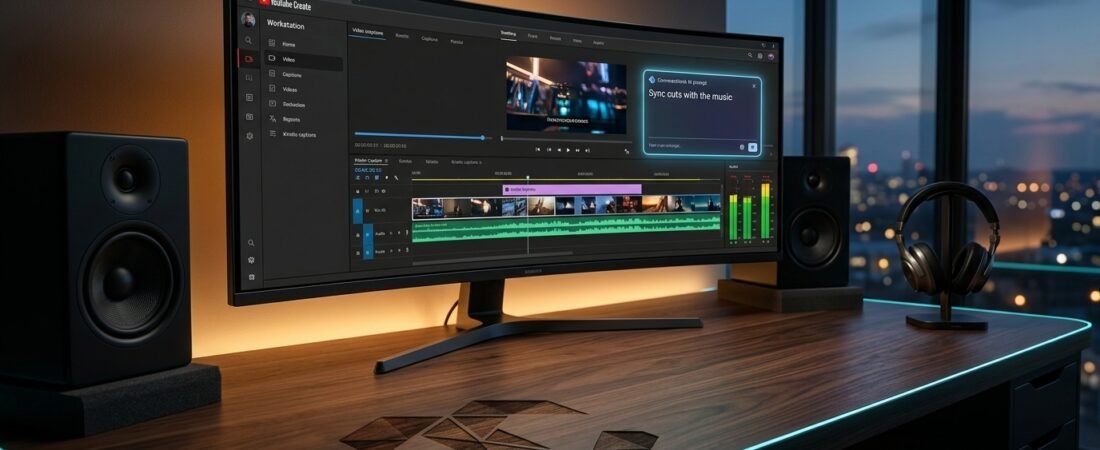
On September 23, 2026, YouTube officially unveiled its next-generation Conversational AI Editing Assistant powered by Gemini Omni for YouTube Shorts and the YouTube Create app at Made on YouTube. Instead of performing tedious manual timeline trimming, creators can now converse directly with the editor using natural prompts like “Remove the boring part at the beginning,” “Sync the cuts with the music,” or “Create a first draft from these clips.” Google does not sell a standalone desktop app called “Gemini AI Editor”; rather, it embeds multimodal Gemini intelligence directly into YouTube Create, YouTube Shorts Dream Screen (DeepMind Veo), and YouTube Studio to deliver conversational, hybrid timeline video editing.
The Evolution of AI Video Editing on YouTube in 2026
Few topics in creator technology have generated as much search interest, speculative hype, and outright confusion over the past year as the phrase “Gemini AI Editor for YouTube.” Search queries across Google and YouTube indicate that creators, video editors, and agency marketing teams are actively hunting for a software download, a web application, or a dedicated desktop suite that lets them drop in raw footage and receive an automated, broadcast-ready video cut by Google Gemini.
The reality is both more nuanced and far more practical. At the Made on YouTube 2026 summit on September 23, 2026, YouTube Vice President Aparna Pappu unveiled the biggest leap in creator workflow since the launch of Shorts: a fully conversational editing partner powered by Gemini Omni embedded inside YouTube Shorts and the YouTube Create mobile application. Rather than replacing the human creator with an opaque black box, Google has engineered a collaborative co-pilot that combines natural conversational prompting with granular timeline control.
In this comprehensive guide, TechniqCo deconstructs the entire Google, Gemini, and YouTube video editing architecture. We examine the exact conversational prompts supported by the new editing assistant, compare in-app conversational editing against end-to-end autonomous agentic pipelines (such as Google Opal workflows), analyze YouTube Studio’s new draft feedback and dynamic thumbnail tools, clarify copyright and SynthID watermarking rules, and provide a verified roadmap for creators and businesses in India and global markets.
The September 23, 2026 Announcement: Conversational AI Editing with Gemini Omni
The headline announcement from Made on YouTube 2026 was the formal integration of Gemini Omni into an interactive, conversational editing assistant for YouTube Shorts and YouTube Create. According to YouTube’s first-ever GenAI Trends Report, 72% of U.S. video creators aged 14 to 44 have already utilized artificial intelligence to assist their video creation or editing process over the past year. Furthermore, in August 2026 alone, hundreds of thousands of YouTube channels interacted with Gemini intelligence daily across mobile creation tools.
The new conversational assistant takes this momentum into direct timeline manipulation. Instead of forcing creators to manually slice clips, hunt for audio downbeats, or adjust playback speed frame by frame, creators can now chat with the editor just like they would collaborate with an assistant editor in a production studio.
What You Can Ask the Conversational Gemini Editor to Do
The assistant handles tedious, repetitive editing tasks so creators can focus on creative vision and storytelling. Creators can begin with suggested starter prompts or type their own custom instructions:
- “Create a first draft from these clips.” The assistant evaluates the selected camera roll footage, identifies key actions or spoken segments, and sequences a baseline rough cut.
- “Remove the boring part at the beginning.” Multimodal Gemini analysis inspects the video lead-in, detects dead pauses or awkward throat clearing, and automatically trims the head of the clip to launch directly into the hook.
- “Make this faster and more engaging.” The assistant tightens pacing, eliminates dead air between spoken sentences, applies micro-cuts, and accelerates slow transitions.
- “Sync the cuts with the music.” Audio transient detection aligns visual clip cuts and B-roll cutaways to the rhythmic beats of a selected background track.
- “Reorder these clips.” The creator can instruct the model to restructure chronological footage into a hook-first narrative format without dragging clips across a cramped mobile timeline.
- “Add a text hook.” Gemini generates contextually relevant, animated text overlays summarizing the video core value proposition within the opening 3 seconds.
A fundamental differentiator of YouTube’s implementation is that conversational AI does not lock you into a rigid output. Creators can bounce back and forth fluidly between chatting with the Gemini creative partner and manually tweaking the timeline. If the conversational assistant trims a clip slightly too short or places a cut one beat too late, you simply touch the timeline, adjust the trim handle, add a custom keyframe, or type another refinement prompt like “Keep the ending laugh from clip three.” This eliminates the frustration common to one-shot AI video generators that force users to regenerate an entire project from scratch.
In-App AI Assistant vs. Autonomous Agentic Pipelines (The Opal Framework)
To evaluate where video creation technology is heading, digital marketers must understand the architectural distinction between an in-app conversational editing assistant (what YouTube launched) and an end-to-end autonomous agentic pipeline (such as Google Opal workflows and custom growth systems developed at TechniqCo).
YouTube’s conversational editor is a human-in-the-loop co-pilot. It resides inside YouTube Shorts and YouTube Create, waiting for human prompts and human footage. In contrast, an autonomous agentic video engine automates the entire marketing loop from initial trend discovery to cross-platform distribution.
| Workflow Stage | YouTube Conversational Assistant | Autonomous Agentic Pipeline (Opal Engine) |
|---|---|---|
| 1. Trend & Topic Discovery | Creator manually chooses topic or checks Studio Inspiration tab | Automated Google Search and Google Trends scraper detects real-time breakout query spikes |
| 2. Script & Concept Ideation | Creator prompts Gemini in YouTube Studio for script outline | LLM agent generates viral concept, behavioral hook, narrative script, and audio cues |
| 3. Video Footage Generation | Human shoots phone video or generates 6-second Dream Screen background | Text-to-video models (Veo, Imagen 3, Sora) synthesize full scene footage programmatically |
| 4. Video Assembly & Editing | Creator chats: “Remove boring part,” “Sync to beat” | Autonomous editing agent assembles video, trims silence, aligns audio, and places B-roll |
| 5. Hook, Captions & Styling | Automated Create captions + manual font styling selection | Programmatic kinetic typography, color-coded keyword highlights, and sound effects |
| 6. Distribution & Publishing | Manual upload to YouTube Shorts with creator metadata | Multi-platform API publishing across YouTube Shorts, Instagram Reels, TikTok, and LinkedIn |
For individual creators, YouTube’s conversational assistant is an extraordinary speed multiplier because it eliminates friction on the device they carry everywhere. For marketing agencies and scaling brands, pairing conversational video editing with programmatic trend scraping creates an unbeatable omni-channel growth flywheel.
Additional Made on YouTube 2026 Upgrades: Studio AI and Creator Protection
The conversational editing assistant was accompanied by significant AI upgrades inside YouTube Studio designed to support creators before, during, and after publication:
Personalized Draft Feedback
When a creator uploads an unlisted video draft to YouTube Studio, a new AI feedback feature reviews the upload against channel history. It delivers actionable recommendations on pacing, narrative structure, retention drop-off risks, and storytelling clarity before the video goes public.
Dynamic 3-Thumbnail Testing
YouTube Studio now allows creators to generate channel-matched thumbnails using generative AI and deploy dynamic thumbnail A/B testing. YouTube algorithmically serves the best of three thumbnail options to distinct audience segments based on historical click preferences.
Voice Likeness & Deepfake Protection
Recognizing that creator identity encompasses both voice and appearance, YouTube expanded its likeness detection suite. By combining speaking voice recognition with facial detection, creators can monitor unauthorized AI deepfakes directly from the YouTube mobile app.
Google and YouTube AI Video Ecosystem Matrix
To master this ecosystem, creators need to know which tool executes which task. Here is the operational breakdown of Google’s four connected AI video pillars in 2026:
| Platform | Core Technology | Primary Capability | Where It Lives |
|---|---|---|---|
| YouTube Create | Gemini Omni, On-Device AI Models | Conversational editing assistant, audio cleanup, auto-captions, timeline trims, music beat sync | Android & iOS standalone app |
| YouTube Shorts Dream Screen | Google DeepMind Veo & Imagen 3 | Text-to-video generative backgrounds, 6-second cinematic video clips, SynthID watermarking | Native YouTube mobile app camera |
| YouTube Studio AI | Gemini 1.5 Pro & Google Aloud | Inspiration tab, video draft feedback, title/description generation, dynamic thumbnails, multilingual AI dubbing | Desktop Studio & Studio mobile app |
| Gemini App / API | Gemini Multimodal Long-Context | Raw footage comprehension, automated timestamp extraction (MM:SS), clip summaries, programmatic API triggers | gemini.google.com, Google Workspace, Vertex AI |
Core Gemini and YouTube Create Editing Features in Detail
1. Audio Cleanup: Studio Vocals Anywhere
One of the most technically impressive features inside YouTube Create is single-tap Audio Cleanup. Traditional noise suppression often creates hollow or robotic vocals. Google’s on-device neural model analyzes audio tracks, differentiates between human speech frequencies and background noise (such as city traffic, air conditioning rumble, or coffee shop chatter), and removes unwanted sound while preserving natural vocal warmth. For creators filming on smartphones in bustling Indian cities like Delhi, Mumbai, or Bengaluru, Audio Cleanup replaces expensive lavalier microphone hardware.
2. Automatic Captions and Kinetic Typography
Short-form video research confirms that over 70% of mobile users watch vertical videos with sound muted. YouTube Create provides native speech-to-text auto-captioning supporting English, Hindi, and dozens of regional languages. Creators can format captions with animated styles, auto-highlight active spoken words, and edit misrecognized brand terms with single-tap text replacements.
3. Beat Matching and Smart Rhythmic Syncing
Editing music-driven Shorts manually requires zooming in on millisecond waveforms. YouTube Create analyzes the BPM (beats per minute) of royalty-free tracks in the YouTube Audio Library and places rhythmic markers across the timeline. Creators can snap clips directly to bass drops, or instruct the new conversational assistant: “Sync cuts to the beat.”
4. Generative Backgrounds with Google DeepMind Veo
Inside YouTube Shorts Dream Screen, Google integrated DeepMind Veo, its advanced generative video model. When creators film in a mundane bedroom or home office, they can type a prompt like “A bustling cyberpunk night market in Tokyo in photorealistic 1080p” and generate a 6-second vertical looping background that responds to camera motion.
5. Multilingual AI Dubbing with Aloud
Built directly into YouTube Studio, Google’s AI dubbing engine (Aloud) transcribes spoken video, translates the dialogue into target languages (including Spanish, Portuguese, and Hindi), and synthesizes a natural voiceover track. Creators can distribute one video across multiple international audiences using YouTube’s native multi-track audio player without re-uploading separate regional files.
Comparison: Google/YouTube AI vs. CapCut vs. Adobe Premiere Pro
| Feature / Metric | YouTube Create + Gemini | ByteDance CapCut | Adobe Premiere Pro |
|---|---|---|---|
| Conversational AI Editing | Yes (Gemini Omni conversational prompts) | Limited (template script-to-video) | Beta (text-based editing via transcripts) |
| Generative Video Synthesis | DeepMind Veo (Dream Screen) | ByteDance AI video generator | Firefly Generative Extend |
| Audio Cleanup & Voice Isolation | Built-in single tap (free) | Built-in (Pro subscription required) | Enhance Speech (desktop GPU required) |
| Native Platform Publishing | Direct to YouTube & Shorts (zero lag) | Direct to TikTok | Export file, manual upload |
| Royalty-Free Audio Library | Full YouTube Audio Library (no claims) | Commercial tracks (subject to licensing) | Adobe Stock Audio (subscription) |
| Pricing & Cost | 100% Free | Freemium (approx $9.99/mo Pro) | $22.99 to $59.99/month |
| Availability in India | Fully available on Android & iOS | Banned / restricted on Indian app stores | Fully available desktop |
Is Gemini AI Video Editing Available in India?
Yes. India is one of Google’s most strategic creator markets, and availability across the ecosystem reflects this commitment:
- YouTube Create App: Available for free download in India across the Google Play Store (Android) and Apple App Store (iOS). It includes full support for English, Hindi, and multiple regional Indian languages.
- Conversational AI Editing Assistant: Rolling out progressively following the September 23 Made on YouTube announcement to YouTube Create and Shorts users on Android and iOS throughout late 2026.
- Shorts Dream Screen (Veo): Live in India inside the YouTube Shorts creation camera for generating AI video backgrounds.
- YouTube Studio Inspiration & Feedback: Fully enabled for Indian creator accounts on desktop and mobile.
- Google Aloud AI Dubbing: Expanding pilot access with Hindi language pairing for high-volume Indian educational and tech creators.
SynthID, Watermarking, and YouTube’s Altered Content Rules
As AI video editing accelerates, platform compliance is essential for channel health and monetization. YouTube enforces clear transparency guidelines:
- SynthID Cryptographic Watermarking: Every background or video clip generated via DeepMind Veo inside Dream Screen is automatically embedded with Google DeepMind SynthID watermark. This imperceptible digital fingerprint persists even after video re-encoding, trimming, or compression, identifying the content as AI-generated.
- Mandatory Disclosure for Realistic AI: Creators are required to check the “Altered Content” box in YouTube Studio if their video features realistic synthetic depictions (e.g. an AI-generated face of a real person, synthetic speech saying things they never said, or realistic synthetic disaster scenes).
- What Does NOT Require Disclosure: Using AI Audio Cleanup, automated subtitles, color grading, beat syncing, or clearly surreal/fantastical generative backgrounds does not require an altered content label.
The 6-Step Production Workflow: From Raw Clips to Omni-Channel Growth
Here is how modern creators and agency teams at TechniqCo transform raw smartphone recordings into high-retention video assets using the Gemini and YouTube Create ecosystem:
- Pre-Production in YouTube Studio: Open the Inspiration tab on mobile or web. Review audience search trends to identify high-velocity questions. Prompt Gemini to outline a 60-second video script with a clear 3-second hook.
- Capture Raw Video: Film your video on a smartphone in 4K at 60fps in vertical (9:16) format. Record multiple takes without worrying about pauses or mistakes.
- Import into YouTube Create: Create a new project and select your camera roll clips.
- Conversational Rough Cut: Prompt the Gemini assistant: “Create a first draft from these clips, remove the boring part at the beginning, and make the pacing fast.”
- Enhance Audio & Captions: Tap Audio Cleanup to isolate vocals. Select a trending track from the YouTube Audio Library and prompt: “Sync cuts with the music.” Tap Auto-Captions to generate animated kinetic typography.
- Direct Export & Publishing: Export without watermarks directly to YouTube Shorts, and download the clean high-definition MP4 file to distribute across Instagram Reels, TikTok, and LinkedIn.
Frequently Asked Questions (FAQs)
1. What did YouTube announce about Gemini on September 23, 2026?
At the Made on YouTube 2026 event, YouTube announced a new conversational AI editing assistant powered by Gemini Omni for YouTube Shorts and the YouTube Create app. It allows creators to chat directly with the video editor to trim clips, sync cuts to music, reorder frames, and refine timelines iteratively.
2. Can I download a desktop software named “Gemini AI Editor”?
No. There is no standalone desktop program called “Gemini AI Editor.” Google delivers Gemini video editing tools inside the free YouTube Create mobile app (Android and iOS), YouTube Shorts camera (Dream Screen with Veo), and YouTube Studio on web and mobile.
3. What prompts can I use with the conversational Gemini editor?
You can use natural language prompts such as “Remove the boring part at the beginning,” “Make this faster and more engaging,” “Sync the cuts with the music,” “Reorder these clips,” “Add a text hook,” or “Create a first draft from these clips.” You can then continue chatting to make iterative timeline tweaks.
4. Can I switch between conversational AI editing and manual timeline editing?
Yes. YouTube specifically designed a hybrid workflow. Creators can bounce back and forth between conversational AI instructions and manual touch editing, adjusting clip handles, transitions, and overlays directly on the timeline.
5. What is the difference between YouTube’s assistant and an autonomous pipeline like Opal?
YouTube’s tool is an in-app editing co-pilot that assists a human editor with manual tasks. An autonomous agentic pipeline (like Google Opal workflows) automates the entire end-to-end chain: identifying trending search queries on Google Trends, generating concept scripts, synthesizing video, editing, auto-generating captions, and distributing across multiple platforms automatically.
6. Is YouTube Create completely free to use?
Yes. YouTube Create is 100% free with zero in-app purchases, no subscription tiers, and no watermark on exported videos, unlike competitors like CapCut Pro.
7. How does Audio Cleanup work in YouTube Create?
Audio Cleanup uses an on-device machine learning model to isolate vocal frequencies while eliminating distracting background hum, traffic, wind, and room echo, delivering studio-grade voice clarity in a single tap.
8. Are videos made with YouTube AI eligible for monetization?
Yes. Videos created or edited using YouTube Create, Gemini, and Dream Screen are fully eligible for the YouTube Partner Program (YPP), provided they comply with standard community guidelines and original content policies.
9. Is Gemini video editing available for creators in India?
Yes. YouTube Create is officially available across India on Android and iOS, with full support for Hindi and English, and the new conversational editing tools are rolling out iteratively following the September 2026 announcement.
10. What is SynthID in YouTube Shorts?
SynthID is Google DeepMind’s imperceptible digital watermarking technology that embeds cryptographic provenance into generated video frames, verifying that synthetic video clips were created using Google AI models.
Scale Your Video Marketing with TechniqCo’s AI Growth Systems
Whether you are building autonomous agentic content pipelines, optimizing your video assets for Generative Engine Optimization (GEO), or scaling high-converting performance funnels across YouTube and social platforms, TechniqCo provides the technical architecture and strategic execution to keep your business ahead of the competition. Contact our founding team to accelerate your brand’s AI video marketing roadmap today.
Schedule an AI Video Strategy Session →Related posts:
 YouTube Monetization Rejected in 2026? How to Appeal, Fix Your Channel and Regain AdSense
 The ChatGPT Ads Playbook for Indian Brands: Tracking, Attribution, and the GEO Formula
 ChatGPT Ads Are Now in India: What Businesses Need to Know About the New Advertiser
 How to Use Google Trends for SEO in 2026
 Instagram Account Suspended or Restricted in 2026? Growth Hack Appeal Guide: Shadow Bans, Action Blocks & How to Regain Reach
 The Advanced AI Prompt Playbook: ChatGPT Prompts for SEO, GEO, and AEO in 2026