Written by Trivender Singh
Co-Founder at TechniqCo | GEO & AEO Expert specializing in Generative Engine Optimization, Answer Engine Optimization, AI Search Visibility, Technical SEO & Business Growth Scaling.
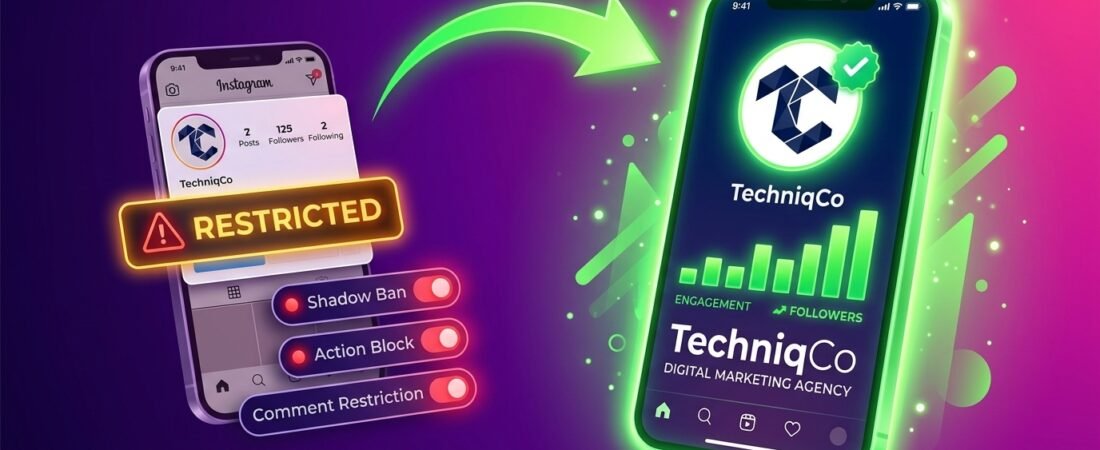
An Instagram suspension disables your account entirely. A shadow ban silently limits content distribution without notifying you. An action block prevents specific activities such as following, liking, or commenting. A comment restriction hides your comments from non-followers. Each restriction requires a different diagnostic approach and a different recovery method.
When Instagram cuts your reach, the silence is the worst part. No warning email. No detailed explanation. Just posts that stop performing, comments that vanish, or a login screen that refuses your credentials. The platform rarely explains exactly what happened or what you need to do to fix it.
This guide gives you a structured, honest breakdown of every major Instagram restriction type in 2026, how to confirm which one you are actually dealing with, how to navigate the appeal process, and how to rebuild your reach once the restriction is lifted.
Part 1: The Four Instagram Restriction Types Explained
Before you can fix anything, you need to correctly identify what type of restriction your account is facing. Treating a shadow ban like a full suspension, or appealing an action block like an account disability, wastes time and can make your situation worse.
Type 1: Full Account Suspension
A full suspension means Meta has completely disabled your account. Your profile disappears from search results, tagged posts stop showing your username as a clickable link, and followers lose access to your content. When you attempt to log in, you see a notification that your account has been disabled for violating Instagram’s Community Guidelines or Terms of Use.
Full suspensions result from serious or repeated violations including multiple Community Guideline strikes accumulated over a short period, automated detection of bot activity or fake engagement, intellectual property infringement complaints, or a coordinated mass-reporting campaign from other users.
Type 2: Shadow Ban (Content Distribution Limiting)
A shadow ban is the most frustrating restriction because your account appears fully functional to you. You can post, like, comment, and message. But your content quietly stops reaching people who do not already follow you. Hashtag pages stop showing your posts. The Explore feed excludes you. Non-follower impressions drop sharply while follower-only impressions remain relatively stable.
Meta officially refers to this as content distribution limiting and exposes it through the Account Status section inside the Instagram app. Causes include rapid follower growth through unnatural methods, posting content that violates community standards without rising to the level of a removal, using flagged or banned hashtags repeatedly, or receiving a high rate of user reports.
Type 3: Action Block
An action block restricts one or more specific account activities while leaving the rest of your account functioning normally.
| Blocked Action | Typical Trigger | Typical Duration |
|---|---|---|
| Follow or Unfollow | Exceeding roughly 150 to 200 follows per day | 24 to 72 hours |
| Liking Posts | Over 300 to 500 likes per hour | 24 to 48 hours |
| Commenting | Posting identical comments rapidly across multiple posts | 24 hours to 7 days |
| Direct Messaging | Sending unsolicited DMs to large numbers of accounts quickly | 24 to 48 hours |
Type 4: Comment Restriction
A comment restriction silently filters your comments so they only appear to you and the account you commented on. Other users scrolling the post cannot see your comment unless they specifically expand the hidden comments section. This is triggered by AI content classifiers detecting patterns associated with spam or guideline-adjacent language in your comments.
Part 2: How to Diagnose Your Exact Restriction
Step 1: Check Account Status Inside Instagram
Open Instagram, go to your Profile, tap the three-line menu, then select Settings and Privacy, then Account Status. This is Meta’s official diagnostic screen. It shows any active content distribution limits, policy violations on record, and an option to request a review directly.
Step 2: Perform the Hashtag Reach Test
Publish a post using three to five moderately active, non-banned hashtags. Wait 30 minutes, then log into a separate account (or ask someone who does not follow you) to search those hashtags. If your post does not appear in hashtag results but appears on your own profile, you are experiencing a shadow ban.
Step 3: Check Non-Follower Reach in Insights
In Instagram Insights, compare your reach from non-followers over the past 7 days against the previous 7-day period. A sudden drop of 60% or more in non-follower reach while follower reach remains stable is a reliable indicator of content distribution limiting.
Step 4: Test Individual Actions
Attempt to like a post, leave a genuine comment, follow a new account, and send a direct message. If any single action returns an error or block notification, you have confirmed an action block on that specific feature.
Part 3: The Appeal Process for Each Restriction Type
Appealing a Full Account Suspension
- Start from the login screen. Instagram displays a notification with a Request Review link directly on the login screen. Tap it. Do not create a new account as a workaround, as this can result in a permanent device-level ban.
- Submit identity verification. Upload a clear photo of a government-issued ID matching the name on your account. This routes your case to a human moderator faster and bypasses a layer of automated review.
- Use the official Help Centre if the in-app option is unavailable. Navigate to help.instagram.com on a browser and submit the appeal form with your username, registered email, and a factual explanation of why the suspension was applied incorrectly.
- Wait without taking disruptive action. Human review for suspension appeals typically takes 5 to 14 business days. Submitting multiple appeals in parallel resets the review queue timer and delays the process. Submit one well-documented appeal and wait the full review window.
- Escalate via the Oversight Board if the internal appeal fails. Meta’s Oversight Board at oversightboard.com is an independent body that reviews contested content moderation decisions. This path is slower but represents a genuine escalation channel beyond Instagram’s internal review team.
Requesting a Review for a Shadow Ban
- Use the Account Status review request. If a content distribution limit is displayed in Account Status, tap Request Review to send a formal review request to Meta’s content team.
- Audit and remove triggering content. Review posts published in the 7 to 14 days before the restriction appeared. Delete or archive any content using banned hashtags or sitting close to Instagram’s policy boundaries.
- Disconnect all growth automation tools immediately. Go to Settings, then Security, then Apps and Websites, and revoke access from any third-party automation tools. Meta’s system detects unauthorized API access patterns and can maintain distribution limits while those tools remain connected.
Resolving an Action Block
Most action blocks resolve automatically within 24 to 72 hours. Stop performing the blocked action entirely during the restriction period and reduce the frequency of that action significantly after the block lifts.
Do not log out and back in repeatedly. Do not uninstall and reinstall the app. Do not switch to a VPN to reset your session. These behaviours can convert a temporary action block into a longer restriction or a shadow ban.
Part 4: The 6-Step Reach Recovery Protocol
When any restriction is removed, your reach does not automatically return to its previous level. Instagram’s algorithm continues to factor in recent engagement signals, and an account that was restricted has fewer recent positive signals feeding into the system. Use this protocol to rebuild algorithmic trust progressively.
- Post one high-quality Reel within 48 hours of the restriction lifting. Reels consistently receive stronger initial distribution pushes than static posts. The first piece of content you publish after a restriction is assessed carefully by Instagram’s systems. Make it your strongest possible, niche-relevant content.
- Focus on saves and shares for the first 7 days. Saves and shares are the two engagement signals Instagram’s algorithm weights most heavily when deciding whether to push content to non-followers. Create content genuinely worth saving (checklists, tutorials, reference guides) or worth sharing (relatable or topically relevant to your niche).
- Activate Broadcast Channels. Instagram’s Broadcast Channels feature sends notifications directly to subscribers and bypasses the standard feed algorithm entirely. This gives you a direct communication path to your most engaged followers while your feed distribution rebuilds.
- Reset your hashtag strategy. Shift away from mega-hashtags (over 50 million posts) to mid-tier niche hashtags with 100,000 to 2 million posts. Use 5 to 8 carefully selected hashtags per post rather than exhausting the full 30-tag limit.
- Increase comment response speed. Respond to every comment within the first 30 to 60 minutes of publishing. One post with strong two-way engagement outperforms three posts with thin engagement during the recovery period.
- Monitor Account Status weekly. Check Account Status once a week during recovery. If a new content distribution limit appears, address it immediately rather than waiting for organic reach to decline over several weeks.
Instagram Daily Action Limits Framework
| Action | Safe Limit (Established Accounts) | Safe Limit (New Accounts) |
|---|---|---|
| Follows | Up to 150 | Up to 50 |
| Unfollows | Up to 150 | Up to 50 |
| Likes | Up to 300 | Up to 100 |
| Comments | Up to 60 (unique text only) | Up to 20 |
| Cold DMs | Up to 30 | Up to 10 |
| Hashtags per Post | 5 to 10 | 3 to 5 |
Frequently Asked Questions
How long does a shadow ban last on Instagram?
Content distribution limits typically last between 7 and 30 days depending on the severity of the triggering behaviour. Accounts that continue the behaviour that caused the original limit often find the restriction is renewed rather than lifted. The fastest resolution involves the Account Status review request combined with removing content that may have contributed to the restriction.
Can a competitor get my Instagram account banned?
A single competitor report carries very little weight. However, coordinated mass-reporting campaigns can trigger automated reviews and temporary restrictions. The best protection is a clean policy record. Accounts with no violations on file are significantly more resilient to false-reporting campaigns than accounts that already carry strikes or warnings.
Does deleting posts remove a shadow ban?
Deleting content that triggered the original restriction can contribute to a faster review decision, but deletion alone does not immediately remove a shadow ban. Focus on removing problematic content, requesting a review through Account Status, and following the reach recovery protocol.
Is creating a new Instagram account after a suspension a good idea?
No. Creating a new account to circumvent a suspension directly violates Instagram’s Terms of Use. Instagram links accounts to devices, phone numbers, and IP addresses. A new account on the same device as a suspended account will typically be suspended shortly after creation.
How do I know if my Instagram comments are being filtered?
Post a comment on a public account, then immediately log out and view that post from a browser without being signed in. If your comment does not appear while logged out but was visible when logged in, it is being filtered.
Dealing With an Instagram Restriction? TechniqCo Can Help.
Whether you are facing a suspended account, a shadow ban killing your organic reach, or a persistent action block, TechniqCo’s social media strategy team can help you diagnose the issue, build a structured appeal, and execute a full reach recovery plan. Let’s talk about your account.
Related posts:
 Instagram Account Suspended or Restricted in 2026? Growth Hack Appeal Guide: Shadow Bans, Action Blocks & How to Regain Reach
 Google Business Profile Listing Removed or Merged in 2026? Fix Duplicate Listings, Resolve Ownership Disputes & Recover Your Profile
 How to Optimize Your Google Business Profile: The Complete 2026 Guide for Local Visibility
 Google Business Profile Suspended in 2026? Step-by-Step Appeal & Reinstatement Guide (Soft & Hard Suspensions)
 YouTube Monetization Rejected in 2026? How to Appeal, Fix Your Channel and Regain AdSense
 How to Do a Website Audit: A Complete Step-by-Step Guide for 2026